If you built a Custom GPT for your team, you have roughly ten weeks to move it or lose it. OpenAI will retire Custom GPTs on December 11, 2026, replacing them with a plugin architecture built around reusable skills, reference files, and connected tools. Enterprise workspaces lose the ability to create new Custom GPTs on October 26, and qualifying Enterprise customers can request a deferral until February 11, 2027. The change was announced on September 11, giving builders a narrow window to audit their GPT inventory, test the migration path, and rebuild anything the automatic transfer leaves behind. The migration touches not just ChatGPT users but also developers working in VS Code, because Codex shares a universal plugin directory with ChatGPT and now runs as an agent harness alongside GitHub Copilot and Anthropic Claude. That makes this a developer tooling event, not just a chatbot feature shuffle. If you maintain Custom GPTs, this is your migration homework, and the deadline is real.
What exactly is OpenAI replacing, and with what?
Custom GPTs let you create a specialized version of ChatGPT with its own instructions, knowledge files, and connected tools. You built one GPT per task, shared it via a link, and users opened it as a dedicated environment. Plugins are the successor. Instead of multiple specialized chatbots, OpenAI wants one ChatGPT and one Codex to draw from a toolbox of reusable capabilities. A plugin can contain one or more skills, a Model Context Protocol (MCP) server providing external tools and data, or both. It can also include templates, reference material, and scripts. OpenAI announced the planned retirement on September 11, describing plugins as a way to bring reusable instructions, reference files, and connected apps together so guidance works alongside the tools a task needs.
The architecture shift matters for anyone who has been building Custom GPTs as lightweight workflow automation. A skill that teaches Codex how to run a team's standard security review, generate tests to company conventions, or prepare a release pull request is no longer confined to a standalone chatbot. It can be invoked inside VS Code through the Codex harness, which VS Code now supports alongside GitHub Copilot and Claude. Developers pick their harness using the Session Target control. OpenAI's own skill-building documentation positions skills as reusable instructions, decision points, output requirements, examples, and templates. One plugin holding several related skills replaces a folder of separate GPTs.
What survives the migration, and what gets dropped?
This is where the homework gets concrete. OpenAI's migration FAQ says creators can go to My GPTs and select Migrate to plugin. The GPT's latest published instructions become a skill inside the new plugin. Its knowledge files are copied into the plugin's reference files. Connected apps can be added to the plugin. That covers the basics.
What does not transfer is the longer list:
- Existing conversations stay with the original GPT and are not moved.
- The selected model for the GPT does not carry over.
- Custom Actions are not automatically converted. You may need to rebuild them using an available app or a custom MCP server.
- Drafts and unpublished changes do not transfer.
- Sharing settings do not carry over. The migrated plugin starts private.
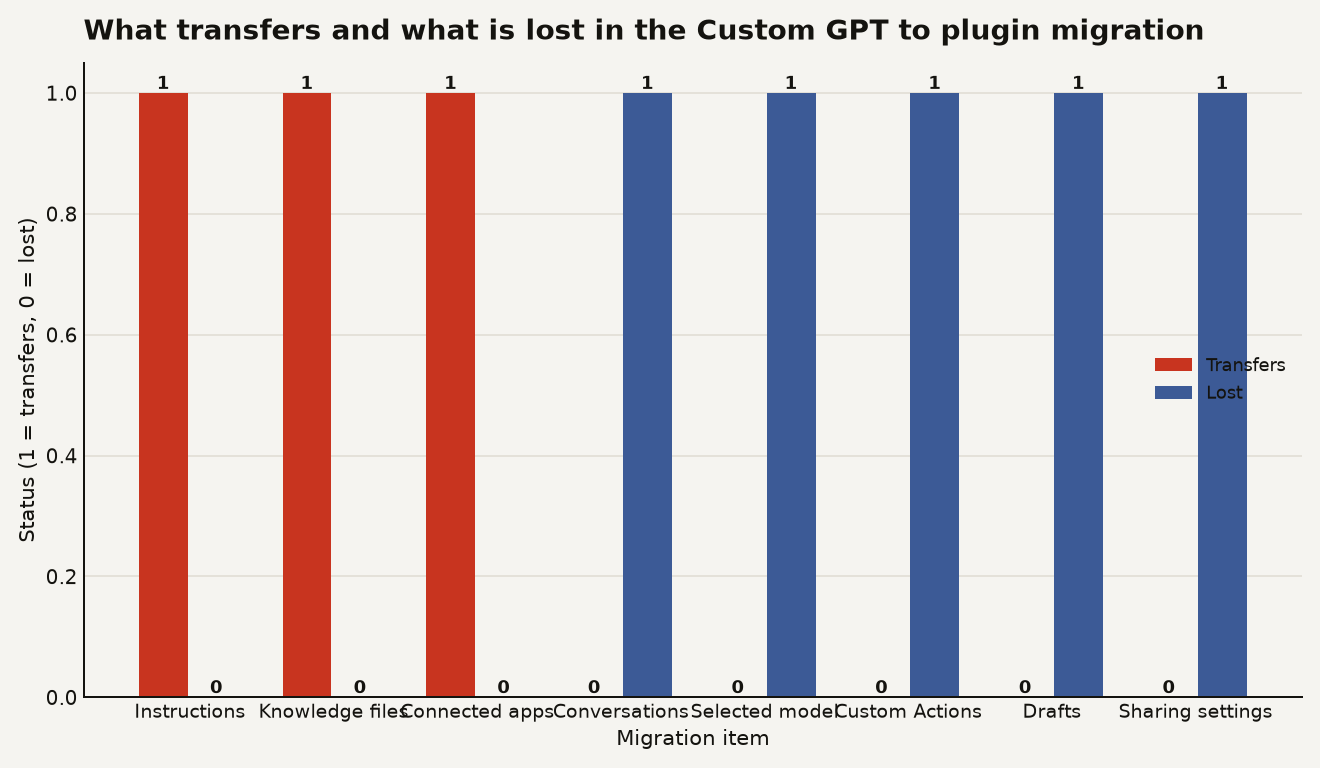
The chart above shows the split: three things move, five things stay behind. For a team with a GPT embedded in a recurring development or support process, the Custom Actions gap is the most expensive item. OpenAI says a rebuilt integration should not be assumed to reproduce every capability of the original action. If your GPT calls an external service through a Custom Action, you are looking at a rebuild, not a transfer. Full MCP support, which is the recommended replacement path for actions, is available only on Business, Enterprise, and Education plans, which cuts out Team and Plus users who need live tool connections.
OpenAI also warns that a migrated plugin may respond differently. The company recommends testing familiar prompts, more demanding cases, reference material, output formats, and integrations before relying on the replacement. The original GPT stays usable until retirement but becomes read-only after migration, so future changes go to the plugin.
How does plugin sharing differ from Custom GPT links?
This is the part that has builders most frustrated. Custom GPT creators could distribute a GPT using an Anyone with the link model. OpenAI says a migrated plugin starts private, existing GPT users do not automatically gain access, and sharing settings do not transfer. Public distribution requires a separate plugin publishing process with review.
The documented plugin sharing options are all inside the workspace: invited members, workspace link, or workspace directory. For external sharing, the options narrow fast. OpenAI Support has confirmed to community members that link access for people outside the workspace does not exist today, there is no published review time for the public directory, and use by Free accounts depends on plan, account, region, and plugin capabilities. There is currently no documented mechanism for a personal plugin creator to individually grant migrated plugin access to specific external customers.
If you built a Custom GPT that you shared with clients, partners, or a public audience via a link, your distribution model breaks. You need to move users into a workspace, submit the plugin for public review with an unknown timeline, or find a different delivery path. This alone makes the migration a project, not a button click.
Why is OpenAI doing this, and is the logic sound?
The case for plugins is real. Plugins give ChatGPT and Codex a common way to consume reusable instructions, tools, and outside services. One plugin can hold multiple related skills instead of forcing users to maintain a separate chatbot per task. MCP support gives developers a standard mechanism for attaching live tools and data, which is a genuine upgrade over Custom Actions for teams on Business plans and above. The shared plugin directory between ChatGPT and Codex means a skill built for a chat workflow can also run in a code workflow inside VS Code, which is the kind of cross-surface reuse that matters for builders shipping agent-based products.
The logic is sound for new builds. The problem is the migration path for existing ones. A growing collection of posts in OpenAI's Developer Community and on Reddit argues that the migration is not an equivalent replacement. Builders report knowledge files that worked in Custom GPTs being rejected during plugin migration because of different file limits. Others say migrated plugins follow reference material or instructions less reliably, or that managing and editing plugins is substantially more complicated than using GPT Builder.
The predictability problem is structural. Opening a Custom GPT meant entering a dedicated environment whose instructions applied to that conversation. With skills, ChatGPT can automatically recognize that an installed skill matches a request, but OpenAI itself warns that automatic selection depends on the task and that the plugin will not necessarily run on every request. Users can explicitly select or invoke plugins where supported, which is the safer choice for production workflows. That is still a different experience from entering a purpose-built GPT and knowing exactly which instruction set governs the conversation. For a team relying on a GPT to enforce a specific output format or compliance check, automatic skill selection introduces a variable you cannot fully control.
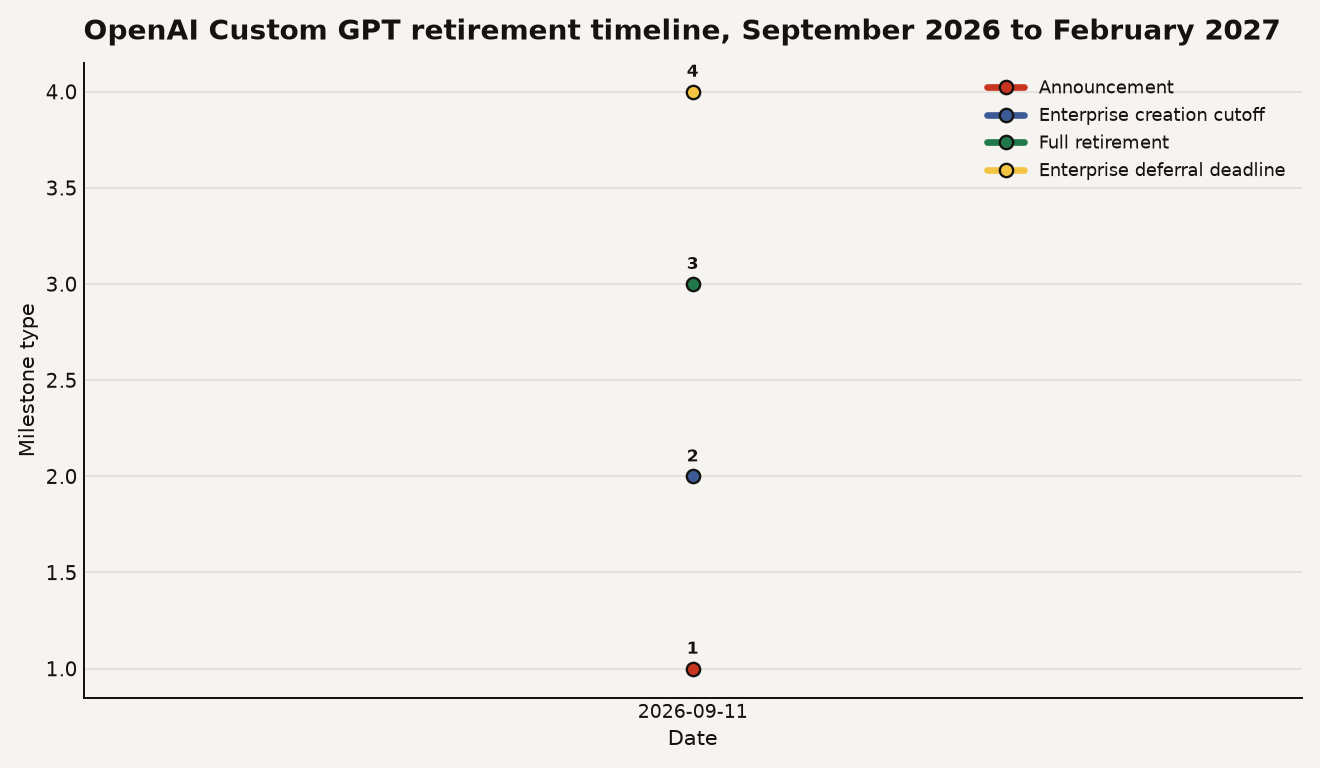
The timeline above shows the key dates. Note that an earlier version of OpenAI's migration documentation listed September 25 as the planned cutoff for creating new Custom GPTs. The current schedule for affected Enterprise workspaces moved that to October 26, and the standard retirement remains December 11. The schedule has already shifted once, which means you should check your workspace for the exact date rather than relying on a general announcement.
What should I do before the December 11 deadline?
Start with an audit. OpenAI advises reviewing the GPTs you rely on, identifying their creators, and listing anyone who needs access. For each GPT, check whether it uses Custom Actions, because that is where the rebuild cost lives. If your GPT calls an external API through an action, determine whether an available app in the plugin ecosystem covers the same work or whether you need to build a custom MCP server. If you are on a plan below Business, MCP is not available, so factor that into your timeline.
For each GPT you plan to migrate:
- Test the migrated plugin with your production prompts. OpenAI says behavior may differ, so verify output formats, reference file handling, and tool calls.
- Rebuild Custom Actions manually. Document what each action does, check for an equivalent app, and budget time for an MCP server if needed.
- Plan your sharing migration. If you used link sharing, move users into a workspace or submit the plugin for public review early, since the review timeline is undisclosed.
- Preserve conversations you need. Export or copy any conversations tied to the original GPT before retirement, because they will not transfer.
- Check your workspace-specific dates. Enterprise timing varies, so confirm October 26 and December 11 apply to your workspace or whether you have a deferral.
If you are starting something new, skip Custom GPTs entirely. Build a plugin from scratch, use Projects for document-heavy workspaces, and do not start new integrations on the Assistants API, which is marked deprecated in current documentation. For a broader look at how OpenAI shipped this alongside other launches, see our coverage of OpenAI DevDay 2026.
What this changes for builders shipping on OpenAI
The retirement tells you something about where OpenAI is steering the platform. Plugins and MCP are the load-bearing customization layer now, and the shared directory between ChatGPT and Codex signals that OpenAI wants skills to work across surfaces. If you are building internal tools, the Codex integration in VS Code means a plugin you build for a chat workflow can also power a code workflow, which is a genuine productivity gain for teams that maintain both.
The cost is migration friction and a narrower sharing model. If your GPT is simple, instructions and files only, migration is close to automatic. If it has Custom Actions, external sharing, or users outside your workspace, you are looking at a rebuild with a testing phase. The December 11 deadline is firm for most plans, and the February 11 deferral is only for qualifying Enterprise customers who request it. Plan for December, hope for February, and start testing now.
Sources
- Visual Studio Magazine: Hands-On With OpenAI's Mandatory Custom GPT-to-Plugin Migration
- ADTmag: OpenAI's Custom GPT Retirement Puts Integrations on the Migration Checklist
- OpenAI Developer Community: OpenAI's plugin migration raises access concerns
- Tech To Heart: OpenAI Is Retiring Custom GPTs and Plugins Are the Exit Ramp
- Blog.LumAIere: Custom GPTs Are Retiring