A malicious package that waits for npm install is annoying. A malicious package that waits for your editor is worse, because many teams have spent the last year hardening the wrong choke point.
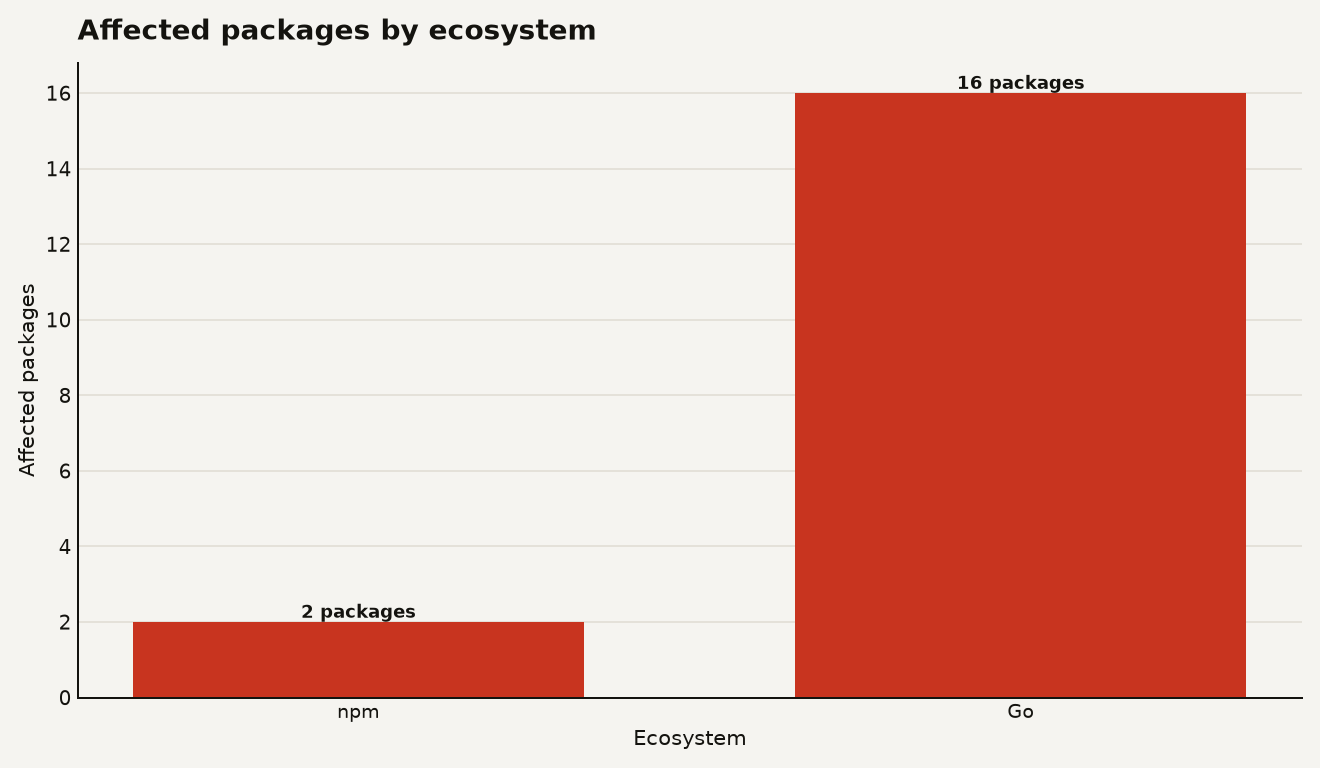
The VS Code Tasks supply chain attack reported by JFrog is small in package count and large in lesson: two hijacked npm packages and 16 Go packages used a hidden .vscode/tasks.json trigger to start a multi-stage credential stealer outside the classic npm lifecycle script path. JFrog named the npm packages as html-to-gutenberg version 4.2.11 and fetch-page-assets version 1.2.9 in its June 24, 2026 technical analysis, with a June 25 update adding 16 Go packages found by Nextron Research.
That matters because the latest npm security story has pushed operators toward install-time controls. npm v12 is expected to block several risky install paths by default, and JFrog says those controls target mechanisms involved in about 53 percent of malicious npm attacks it observed over the prior year in its June 18, 2026 npm v12 analysis. This campaign points at the other side of the ledger: developer tools, trusted workspaces, and hidden project config.
If you already tightened your registry policy after the Mastra npm supply chain attack, do not pat the dashboard and move on. The editor is now part of the attack surface.
Two malicious VS Code Tasks versions
JFrog says the two malicious npm versions were uploaded to npm on May 25, 2026, and both had been removed from npm by the time its analysis was published on June 24, 2026 in the original research post. fetch-page-assets also listed html-to-gutenberg as a dependency, but JFrog found that both packages carried the malicious payload.
The initial trigger was a hidden VS Code task named eslint-check. In the malicious package, the task used runOptions.runOn: "folderOpen", hid its terminal presentation, and executed a file named public/fonts/fa-solid-400.woff2, which JFrog says contained JavaScript in the payload breakdown.
That is the key operator detail. VS Code tasks are legitimate automation. Microsoft’s VS Code documentation says workspace or folder tasks live in .vscode/tasks.json, and that runOn: "folderOpen" tasks can run when the containing folder is opened if automatic tasks are allowed in a trusted workspace in the official tasks documentation.
JFrog’s scope note is important: VS Code and forks such as Cursor do not recursively execute every nested .vscode/tasks.json; the trigger fires when the malicious package directory is opened as the workspace and marked trusted, or when the user has explicitly allowed automatic tasks. That makes the blast radius narrower than a postinstall hook, but it also makes detection more awkward because the dangerous code sits in editor config rather than package.json scripts.
The package count is small enough to memorize and big enough to automate against, as the chart below shows: 2 npm packages and 16 Go packages were tied to the same payload family in JFrog’s report.
The payload chain was fussy in the way modern supply chain malware often is. JFrog found that the first JavaScript stage used public blockchain infrastructure as dead-drop infrastructure, first trying TronGrid, falling back to Aptos, then querying BSC JSON RPC for transaction data that contained encrypted payload material in the stage one analysis. That design means the npm or Go package does not need to carry every later stage directly.
The next stage selected command and control infrastructure, launched a socket.io backdoor, and eventually bootstrapped Python. JFrog listed three C2 IP addresses, 166.88.134.62, 198.105.127.210, and 23.27.202.27, plus paths including /$/boot, /snv, /u/e, /u/f, /d/python.zip, /d/python.7z, and /d/7zr.exe in its IOC section.
The final Python stage was broad. JFrog says it targeted Chromium-family browsers, Firefox profiles, password managers, authenticator extensions, cryptocurrency wallets, Git credentials, GitHub CLI hosts.yml, GitHub Desktop logs, VS Code global storage, OS credential stores, and cloud storage metadata in the Python infostealer section.
--ignore-scripts no longer protects you
The practical shift is that your --ignore-scripts habit is no longer the whole answer. It still helps. It just does not see a malicious tasks.json file that waits for a developer, security analyst, AI coding tool, or build engineer to open the wrong folder.
npm v12 is still a meaningful improvement. JFrog says npm v12 will move toward explicit trust for allowScripts, Git dependencies, and remote URL dependencies, and it says those three mechanisms were involved in about 53 percent of malicious npm attacks it observed over the prior year in the npm v12 security analysis. The same JFrog post says techniques not directly mitigated by npm v12 appeared in 47 percent of observed malicious npm campaigns.
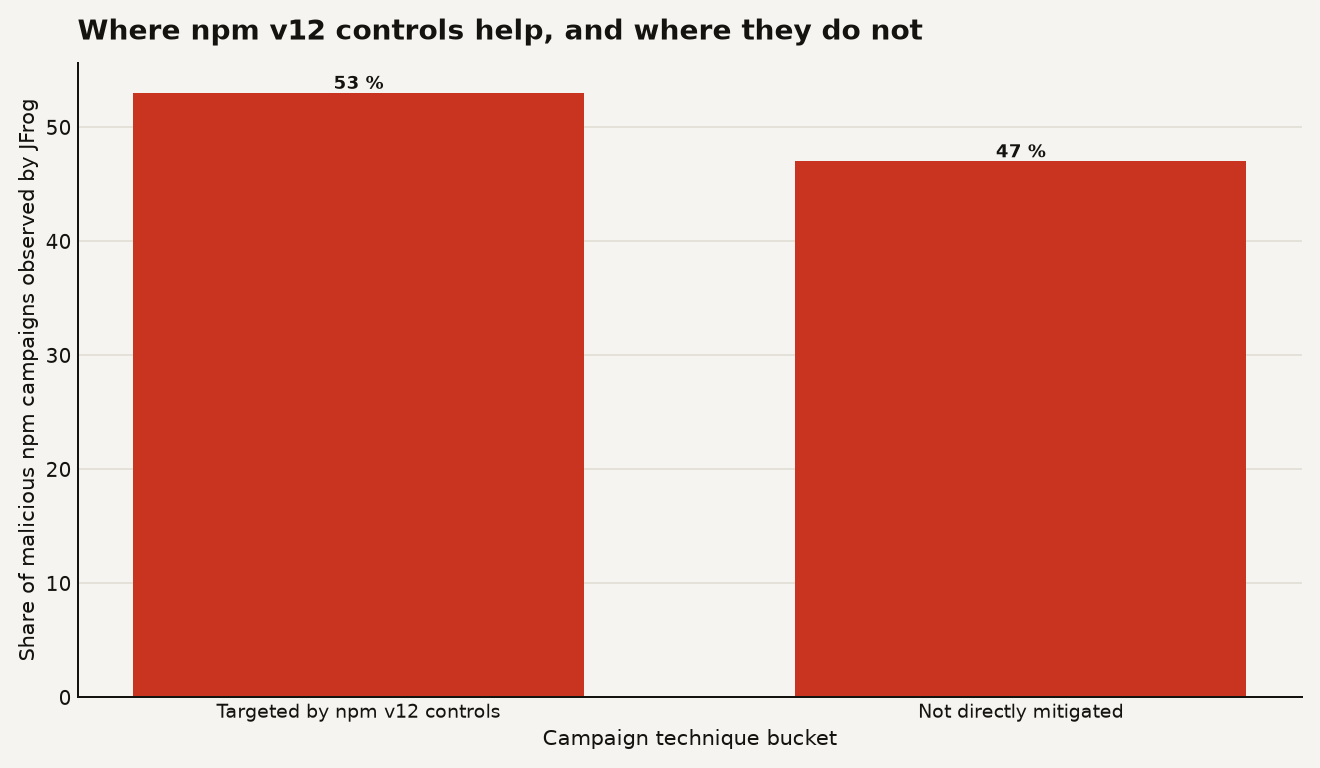
That split should guide your roadmap. Install-time controls cut a lot of noise, but editor-time and runtime execution remain live lanes. If your policy says “all npm installs run with scripts disabled” and your endpoint tooling ignores .vscode/tasks.json, you have a blind spot with a nice icon and a familiar blue sidebar.
For production operators, the risk is less about these 18 named packages and more about the workflow they exploit:
- Developer laptops become staging servers. The Python stealer looks for browser data, keychains, password manager extension data, Git credentials, GitHub CLI state, and cloud metadata, which are often present on laptops that also hold production access.
- Editor trust becomes security policy. VS Code’s automatic tasks setting defaults to
offin current documentation, but an allowed trusted workspace can still run folder-open tasks according to the VS Code tasks guide. - Static package scans lose context. A fake font file with 752 leading space characters and blockchain-hosted later stages can look thin if your scanner focuses only on obvious install scripts.
- AI coding workflows increase folder opening. Agents and coding assistants routinely inspect packages, examples, and repos; any tool that opens untrusted folders with developer-level permissions deserves the same suspicion as a shell.
There is also a useful attribution caveat. The Hacker News connected the fake font and VS Code task pattern to prior North Korea linked developer targeting, and OpenSourceMalware described “Fake Font” as part of the Contagious Interview activity in its January 2026 writeup. You do not need a nation-state attribution call to respond correctly. The defensive move is the same: find auto-run editor tasks, check for fake assets that execute code, and rotate secrets if execution happened.
Search manifests and lockfiles first
Start with exposure. Search dependency manifests, lockfiles, Go module caches, developer workstations, CI images, and security research sandboxes for the named packages and versions. JFrog’s two npm IOCs are [email protected] and [email protected], and its Go package list includes github.com/lambda-platform/lambda, github.com/reauheau/goaubio, github.com/glacialspring/go-winsparkle, and 13 more entries in the Go package appendix.
Then scan for the behavior, because package names age badly. The durable indicator is a hidden VS Code folder-open task that runs JavaScript from a surprising path.
# Run from repo roots, home directories, checked out dependency caches, and CI workspaces.
find . -path '*/.vscode/tasks.json' -print0 \
  | xargs -0 grep -nE 'runOn|folderOpen|hide|fa-solid-400|public/fonts|node .*\.woff2'
On Windows fleets, do the same with PowerShell:
Get-ChildItem -Path $env:USERPROFILE -Recurse -Force -Filter tasks.json -ErrorAction SilentlyContinue |
  Where-Object { $_.FullName -match '\\.vscode\\tasks.json$' } |
  Select-String -Pattern 'runOn|folderOpen|hide|fa-solid-400|public/fonts|node .*\.woff2'
If you find a match on a machine that opened the folder in a trusted editor, treat it as compromised. JFrog’s remediation guidance says affected users should remove the packages, search developer machines for hidden VS Code folder-open tasks, rotate npm tokens, GitHub tokens, SSH keys, cloud credentials, API keys, browser-stored credentials, password manager secrets, and wallet credentials from a clean device in its remediation section.
Block what you can, but do not let an IP block become the plan. JFrog lists 166.88.134.62, 198.105.127.210, and 23.27.202.27 as C2 infrastructure in the IOC list, but the blockchain dead-drop pattern means the next package can swap infrastructure without changing the editor-trigger idea.
Add these controls to your baseline this week:
- Set
task.allowAutomaticTaskstooffin managed VS Code and Cursor profiles unless a team has a reviewed exception. - Monitor
.vscode/tasks.jsonadditions in pull requests, dependency archives, onboarding repos, and coding challenge repos. - Flag tasks with
hide: true,presentation.reveal: "never",runOn: "folderOpen", or commands that execute assets under image, font, docs, or public directories. - Block developer workstations from using browser-saved credentials for production systems. This is dull advice because it keeps being useful.
- Put dependency unpacking, malware triage, and AI agent repo inspection in disposable containers or throwaway VMs with no real tokens.
Keep npm v12 on the roadmap
Keep npm v12 adoption on the roadmap. JFrog says npm v12 will default allowScripts to off and require explicit approval for third-party lifecycle scripts in its npm v12 writeup. That is a sensible default for any org with more than a handful of JavaScript projects.
But your control model needs another lane: editor configuration as executable code. Treat .vscode/tasks.json, .devcontainer/devcontainer.json, workspace settings, agent config, MCP config, and IDE extension recommendations as code that can run or steer tools. These files deserve review rules, ownership, and telemetry.
The best policy is boring and enforceable: automatic tasks off by default, allow lists by repo, and a pre-merge check that fails on folder-open tasks without a security-approved label. If a repo really needs a folder-open task for a compiler watch process, it can survive a ticket. Malware loves defaults that nobody owns.
Also watch the Go angle. JFrog’s June 25 update says Nextron Research identified 16 Go packages with the same malware, and JFrog noted that most appeared to be legitimate packages whose latest released version included the malware alongside original contents in the updated advisory. That means this should not be filed under “npm drama” and forgotten by Go teams.
The editor is now part of your runtime
Supply chain security used to draw a neat line around build tools, package managers, and CI. That line is too tidy for 2026. The thing opening a folder can be as sensitive as the thing deploying an artifact.
If a package can turn a trusted editor into an execution surface, your defense has to follow the developer, not just the registry.
Sources
- JFrog Security Research: Hijacked npm Packages Use Novel VSCode Autorun and Blockchain Dead Drops to Deploy a Credential/Crypto Stealer
- JFrog Blog: npm v12’s Biggest Security Change: From Implicit to Explicit Trust
- Visual Studio Code documentation: Integrate with External Tools via Tasks
- OpenSourceMalware: DPRK Contagious Interview Fake Font Abuses VS Code Tasks
- The Hacker News: Hijacked npm and Go Packages Use VS Code Tasks to Deploy Python Infostealer