Text-to-speech, or TTS, is technology that converts written text into spoken audio. For years, TTS meant choosing from a handful of preset voices that all sounded slightly robotic. You picked "Male, US English" or "Female, British English," and the system read your text in a flat, monotone delivery. Google's Gemini 3.8 TTS, released on September 23, 2026, replaces that approach entirely. Instead of selecting a preset, you describe the voice you want in plain language and the model generates it from scratch. You can also clone a real person's voice from a 30-second audio sample, direct how each line is delivered, and stage two-speaker conversations from a single script.
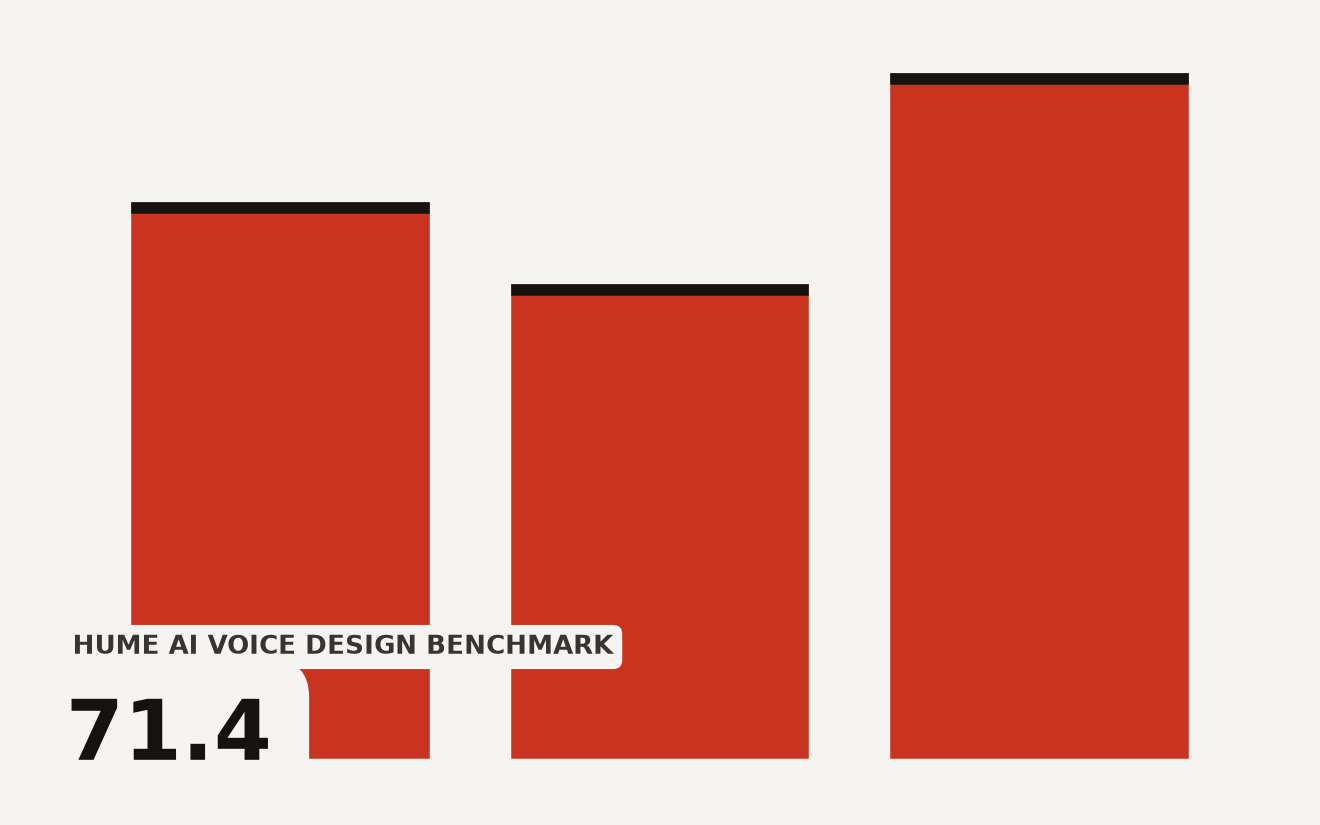
The launch includes two models. Gemini 3.8 Flash TTS is built for creative voice design and character work. Gemini 3.8 Flash-Lite TTS is built for high-volume, lower-cost generation. Both are available now in Google AI Studio and the Gemini API. The Flash model secured the number one spot on Hume AI's Voice Design Benchmark with a score of 71.4, and also led in accent modeling at 60.8. The built-in voice library ships with 2,000+ production-ready voices across more than 100 languages.
If you have ever wanted to build a podcast, game character, or voice agent without hiring a voice actor, this is the closest a free tool has come to letting you do that.
What did Google actually launch on September 23?
Google released two new TTS models as part of its Gemini Audio family, which already includes speech recognition, live translation, and real-time conversation models from earlier in 2026. The new additions focus specifically on generating speech from text.
Gemini 3.8 Flash TTS is the flagship. You describe a voice using natural language, something like "a high-energy DJ from Melbourne" or "a dramatic, fire-breathing dragon," and the model creates that voice. You can then direct line-by-line delivery with stage directions: whispered, excited, calm, sarcastic. The model supports native two-speaker scenes, meaning you can write a script with two characters and the model assigns distinct voices to each, handling conversational turn-taking automatically.
Gemini 3.8 Flash-Lite TTS is the cheaper, faster sibling. It covers the same 2,000+ voice library and 100+ languages but is optimized for high-volume tasks like dubbing video content across languages or powering voice agents that need to generate thousands of responses. Google positions it as the choice when cost and speed matter more than deep creative control.
The two models replace Google's previous TTS offering, Gemini 3.1 Flash TTS. Google claims major improvements in long-form content generation and dual-speaker screenplay control compared to that earlier model, though the company did not publish specific before-and-after numbers for those claims.
Here is how the two models compare:
| Feature | Gemini 3.8 Flash TTS | Gemini 3.8 Flash-Lite TTS |
|---|---|---|
| Built for | Creative direction and character design | High-volume, cost-efficient scale |
| Voice creation from prompts | Yes | Yes |
| Voice library | 2,000+ voices | 2,000+ voices |
| Voice cloning from samples | Yes, 30-second minimum | Yes, 30-second minimum |
| Two-speaker scenes | Yes | Yes |
| Scripted vocal bursts | Yes (laughs, sighs, gasps) | Yes |
| Best use case | Audiobooks, games, podcasts | Dubbing, voice agents at scale |
How does creating a voice from a text prompt actually work?
In older TTS systems, every voice was pre-recorded or pre-trained. A voice actor read thousands of sentences, the system learned the patterns, and you got one fixed voice. Changing the voice meant recording a new actor.
Gemini 3.8 Flash TTS takes a different approach. You write a description of the voice you want and the model generates audio that matches that description. Google calls this "generative voice design." The prompt can specify role, accent, and voice characteristics across more than 100 languages and dialects. You can ask for "a charismatic narrator with a distinct regional cadence" or "a super-tinny, monotone robot" and the model produces a voice matching that description.
The key difference from older systems is that the voice does not exist before you prompt it. The model creates a new vocal profile on demand. Once you create a voice you like, you can save it and reuse it across projects with minimal drift, meaning the voice stays consistent over time rather than gradually changing character.
This matters because it removes the biggest bottleneck in voice production: finding and recording human talent. A solo developer building a game with ten characters used to need ten voice actors, or one actor doing ten accents badly. Now they can generate ten distinct voices from text descriptions.
Google shared audio samples on its announcement page demonstrating a Melbourne DJ, a tinny robot, and a Japanese dragon, all generated from prompts. The results are noticeably more expressive than typical TTS output, though you should listen to the samples yourself before deciding if the quality meets your bar for a real project.
Can I really clone my own voice from 30 seconds of audio?
Yes, with guardrails. Google calls this feature "voice replication." You provide a 30-second audio sample of your own voice, or a voice you have legal rights to use, and the model recreates that vocal profile for text-to-speech generation.
The consent system is the important part. Before the model creates a cloned voice, you must provide a verbal consent recording from the voice owner. The system checks that the consent recording matches the reference speaker. If you try to clone someone else's voice without their consent recording, the system refuses. Google also wraps every cloned voice in C2PA credentials, a metadata standard that marks content as AI-generated, so downstream platforms can identify the audio's origin.
Every audio clip generated by both models is watermarked with SynthID, Google's invisible AI watermarking technology. The watermark is woven into the audio signal itself, so it persists even if the audio is compressed or edited. This makes AI-generated speech detectable, which matters for preventing misinformation and deepfake abuse.
These safety features are built into the system at the generation level. They are not optional add-ons. If you are building a product on top of this API, your users cannot bypass them.
What makes this different from the text-to-speech I already use?
Three things separate Gemini 3.8 TTS from existing TTS tools, and they each change what you can realistically build.
First, the voice library jumped from 30 preset voices to 2,000+ production-ready voices. That alone gives you far more starting points. But the bigger shift is that the library is a starting point, not a fixed menu. You can generate new voices from prompts, meaning the effective library is open-ended.
Second, the model handles long-form generation with minimal speaker drift. Older TTS systems often degraded over long passages: the voice would subtly change character, pacing would drift, and the result sounded increasingly unnatural after a few minutes. Google claims the new model maintains voice quality and natural pacing across hours of continuous audio. That claim needs independent verification, but if it holds, it makes full audiobook production realistic for the first time with AI-generated speech.
Third, the two-speaker scene staging is genuinely new. Instead of generating one voice at a time and stitching clips together, you write a script with two speakers and the model handles both voices, turn-taking, and conversational flow in a single pass. You can add non-verbal cues like <laughs>, <sigh>, or <gasp>, and backchanneling interjections like "mhm" or "yeah" for realistic conversational texture.
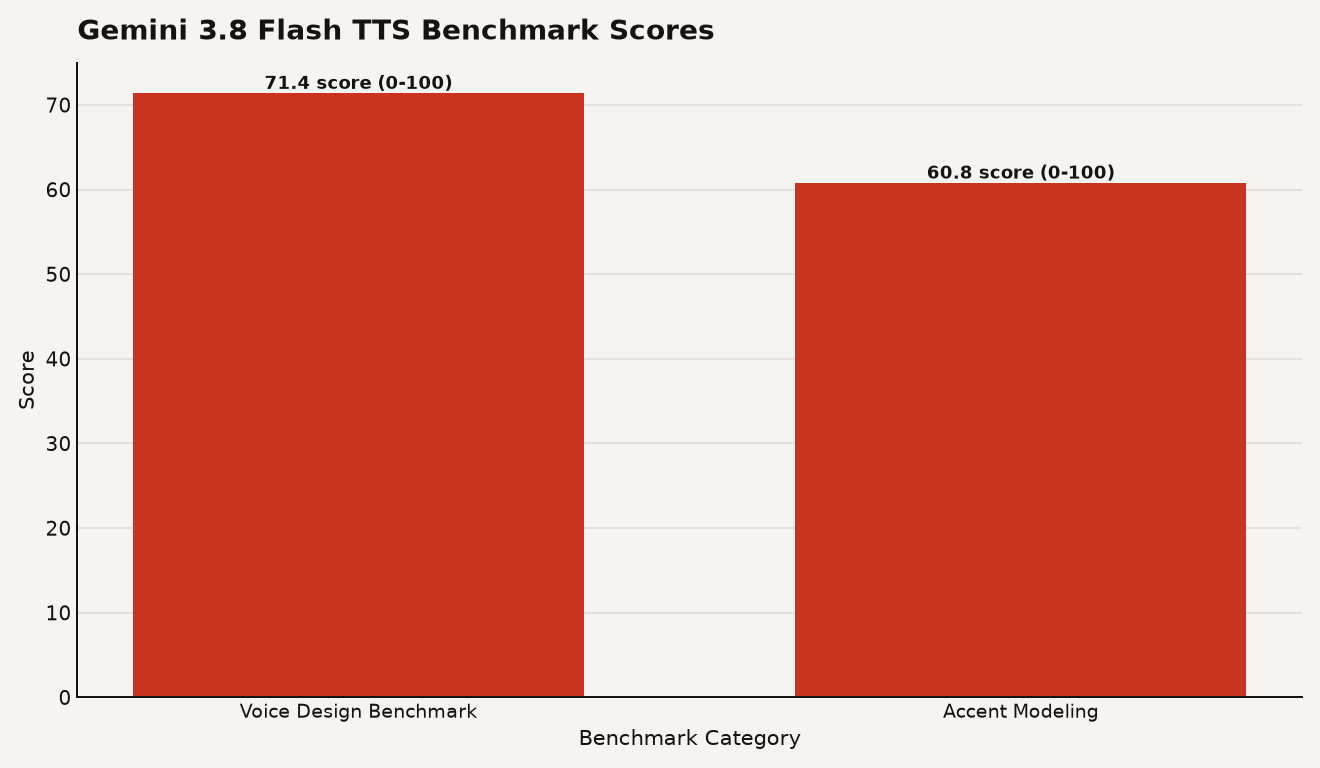
The chart above shows Gemini 3.8 Flash TTS scoring 71.4 on Hume AI's Voice Design Benchmark, the highest overall score, and 60.8 for accent modeling, also the top result. Google also reported that both Flash and Flash-Lite secured the number one and number two positions on Hume AI's Overall Quality Index, though specific scores for Flash-Lite were not published. In blind human preference tests on Voice Arena, the models topped competitors in Japanese, Brazilian Portuguese, Vietnamese, Modern Standard Arabic, Mexican Spanish, and Hindi.
If you are new to AI audio and want a broader look at where voice models are heading, our guide to Gemini 3.8 Live covers the real-time conversation model that pairs naturally with these TTS tools. For a grounding in the base model family, the Gemini 3.8 Flash explainer is the place to start.
Should I try this today or wait?
Try it today if you fit any of these profiles:
- You are a solo developer or hobbyist building a game, podcast, or YouTube channel and need voice content you cannot afford to commission from a human actor.
- You are learning AI tools and want to understand what modern TTS can do. Google AI Studio is free to try and the audio playground is specifically designed for beginners.
- You are building a voice agent or chatbot and need expressive, natural-sounding speech instead of robotic presets.
Wait or proceed carefully if:
- You need guaranteed voice consistency across very long projects. Google claims minimal drift, but the model launched on September 23. Test it on your actual content before committing to a production workflow.
- You are working with voice actors professionally. The cloning feature requires consent, but the broader question of whether AI-generated voices compete with human talent is unresolved. Read the room before replacing human work.
- You need precise control over pronunciation, emphasis, or timing at a level that rivals a human director. The stage-direction system is good, but it is not a human performance coach.
The practical path is simple. Open Google AI Studio, try the audio playground, generate a few voices from prompts, and test voice replication on your own voice. The playground includes a dual-speaker screenplay editor where you can write a short script and hear both voices performed. That hands-on test will tell you more about whether this tool fits your project than any benchmark score.
Developer platforms including LiveKit, Pipecat, and Vercel are already integrating the Gemini API for speech generation, so if you are building with those tools, the integration path exists. Google also named Figma, HeyGen, Wondercraft, and Ollang as early partners building products on top of the new models.
The voice you describe is the voice you get
The real shift here is the move from selection to creation. Every previous TTS system asked you to pick from what existed. Gemini 3.8 TTS asks you to describe what you want, then generates it. That changes who can produce voice content: anyone who can write a sentence can now direct a voice performance. Whether that democratization produces better audio or just more of it is the open question. But the tool is free to try, the guardrails are built in, and the results are good enough to take seriously. Go make something with it.
Sources
- Google DeepMind , Gemini 3.8 text-to-speech says hello
- blog.google , Gemini 3.8 text-to-speech says hello