Azure lakehouse teams just got a less awkward route into Snowflake. Snowflake Iceberg ADLS support is now generally available, which means Snowflake can read and write externally managed Apache Iceberg tables whose files live in Azure Data Lake Storage Gen2. The important number is not a benchmark. It is 1 storage architecture you no longer have to contort: ADLS Gen2 can now stay the physical home for externally managed Iceberg tables while Snowflake does the SQL work.
Snowflake announced the change on June 12, 2026, in its release notes, saying ADLS Gen2 support for Apache Iceberg tables is generally available and works for reading and writing externally managed Iceberg tables on Azure storage. The release also calls out the practical unlock: interoperability with remote catalogs that only use Data Lake Storage, including Unity Catalog hosted on Azure. You can connect through catalog-vended credentials or through an external volume, according to the Snowflake release note.
That sounds like plumbing. It is. But plumbing decides whether your migration plan needs a second copy of the lake.
What changed for Azure Iceberg tables on June 12, 2026?
Before this release, Azure teams using Iceberg with remote catalogs had an uncomfortable split: Snowflake could participate in Iceberg workflows, but ADLS Gen2 was a rough edge if your catalog and storage architecture were already centered on Azure Data Lake Storage. The June 12 release closes that gap for externally managed Iceberg tables on ADLS Gen2, so Snowflake can read and write against tables where the catalog remains external.
The two connection paths matter because they imply different ownership models. With catalog-vended credentials, your REST catalog hands Snowflake temporary access to the table files. Snowflake says this mode is supported for externally managed Iceberg tables that use an Iceberg REST catalog, and the table files must be stored in a single bucket or equivalent storage location per table. If the catalog does not provide an expiration time, Snowflake assumes the credentials expire 60 minutes after receipt, per the catalog-vended credentials documentation.
The vended-credentials shape is usually cleaner for a platform team. The catalog remains the authority for storage access. Snowflake becomes another engine that asks for short-lived credentials. Here is the key bit of syntax:
CREATE CATALOG INTEGRATION azure_uc_rest
  CATALOG_SOURCE = ICEBERG_REST
  TABLE_FORMAT = ICEBERG
  REST_CONFIG = (
    CATALOG_URI = 'https://<catalog-endpoint>'
    ACCESS_DELEGATION_MODE = VENDED_CREDENTIALS
  )
  REST_AUTHENTICATION = (
    TYPE = BEARER
    BEARER_TOKEN = '<token>'
  )
  ENABLED = TRUE
  REFRESH_INTERVAL_SECONDS = 300;
If you use an external volume instead, Snowflake stores a named account-level object that points at your storage location. For ADLS Gen2 interoperability, Snowflake tells you to use the dfs.core.windows.net endpoint, not the Blob endpoint, when you want Snowflake writes to be compatible with remote catalogs that use Data Lake Storage. The STORAGE_BASE_URL must use the azure:// prefix, according to Snowflake's external volume for Azure guide.
CREATE EXTERNAL VOLUME exvol_adls_iceberg
  STORAGE_LOCATIONS = (
    (
      NAME = 'prod-adls-eastus'
      STORAGE_PROVIDER = 'AZURE'
      STORAGE_BASE_URL = 'azure://acct.dfs.core.windows.net/iceberg/'
      AZURE_TENANT_ID = '<tenant-id>'
    )
  )
  ALLOW_WRITES = TRUE;

DESC EXTERNAL VOLUME exvol_adls_iceberg;

SELECT SYSTEM$VERIFY_EXTERNAL_VOLUME('exvol_adls_iceberg');
One vendor-honest footnote: the release note marks ADLS Gen2 support generally available, while the Azure external-volume page still carries a preview callout around Data Lake Storage Gen2 configuration. For a regulated production rollout, treat the June 12 release note as the feature milestone, then confirm your exact account, region, private connectivity, and support posture with Snowflake before you make it the only write path.
How does Snowflake actually write to an externally managed table?
Snowflake writes by linking its table object to the table in your remote Iceberg REST catalog. When you change the table in Snowflake, Snowflake commits the same change to the remote catalog before it updates the table in Snowflake. That commit ordering is the important behavior, because your catalog remains the shared truth for Spark, Databricks, Trino, Snowflake, and whatever engine shows up next quarter.
Snowflake supports two shapes. A catalog-linked database automatically syncs namespaces and tables from the remote catalog. A standard Snowflake database requires the remote table to exist first, then you create a Snowflake Iceberg table object pointing at it. Snowflake's write-support docs say catalog-linked databases can create new Iceberg tables in Snowflake and in the external catalog at the same time, while standard databases need the table created in the remote catalog first via the externally managed write workflow.
For an Azure Unity Catalog style setup, the catalog-linked database is the more natural interface. It gives Snowflake a database view over a remote catalog, with automatic discovery every 30 seconds by default.
CREATE DATABASE lakehouse_prod
  LINKED_CATALOG = (
    CATALOG = 'azure_uc_rest',
    ALLOWED_NAMESPACES = ('gold', 'silver'),
    ALLOWED_WRITE_OPERATIONS = ALL,
    SYNC_INTERVAL_SECONDS = 300
  )
  CATALOG_CASE_SENSITIVITY = CASE_INSENSITIVE;
The setting you should stare at is ALLOWED_WRITE_OPERATIONS. Snowflake's catalog-linked database syntax makes it ALL by default. That is convenient in a demo and too generous for most enterprises. When writes are enabled, table drops propagate to the remote catalog and remove the table and data from both systems, according to the CREATE DATABASE catalog-linked reference.
A safer rollout starts read-only, then opens writes namespace by namespace:
CREATE DATABASE lakehouse_ro
  LINKED_CATALOG = (
    CATALOG = 'azure_uc_rest',
    ALLOWED_NAMESPACES = ('gold'),
    ALLOWED_WRITE_OPERATIONS = NONE,
    SYNC_INTERVAL_SECONDS = 900
  );
Once writable, Snowflake supports the familiar DML surface: INSERT, UPDATE, DELETE, MERGE, TRUNCATE TABLE, and COPY INTO <table>. It also supports streams for CDC into an externally managed Iceberg table. That is where this feature stops being a catalog checkbox and starts becoming a pipeline primitive.
MERGE INTO lakehouse_prod.gold.customer_iceberg t
USING staging_customer_delta s
  ON t.customer_id = s.customer_id
WHEN MATCHED THEN UPDATE SET t.status = s.status
WHEN NOT MATCHED THEN INSERT (customer_id, status)
  VALUES (s.customer_id, s.status);
If your source is an externally managed Iceberg table, Snowflake requires INSERT_ONLY = TRUE when you create the stream. That constraint is easy to miss during a CDC migration, and it is exactly the kind of small syntax rule that turns a Friday cutover into a Monday incident.
How will this show up on the Snowflake bill?
There is no new magic meter called ADLS. The bill lands in the places Snowflake already uses for Iceberg: virtual warehouse compute, cloud services, automated refresh and data registration, and possibly external Azure storage or egress from your cloud provider.
Snowflake's Iceberg billing docs say Snowflake bills virtual warehouse compute and cloud services when you work with Iceberg tables, and does not bill your account for Iceberg table storage because the files live in your cloud storage. Snowflake still exposes ACTIVE_BYTES for Iceberg tables in storage metrics, which is useful for chargeback even though Azure bills the storage, as summarized in the Apache Iceberg tables billing section.
The polling knob is the first FinOps control. REFRESH_INTERVAL_SECONDS on a REST catalog integration supports values from 30 to 86,400 seconds, with 30 seconds as the default. Catalog-linked databases also use a 30 second default sync interval and the same 30 to 86,400 second range. If you set every catalog to poll every 30 seconds because that is the default, you are choosing freshness before you have measured whether the business needs it.
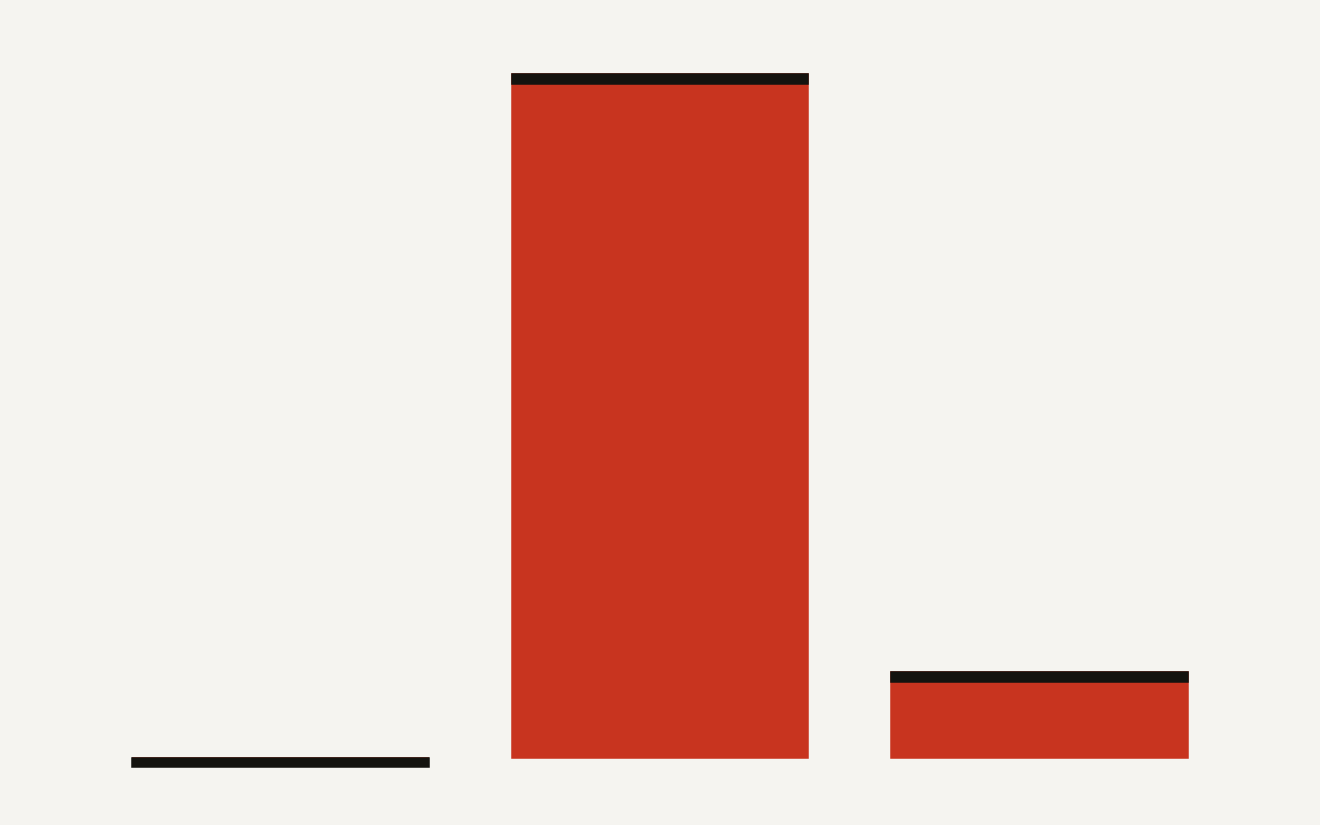
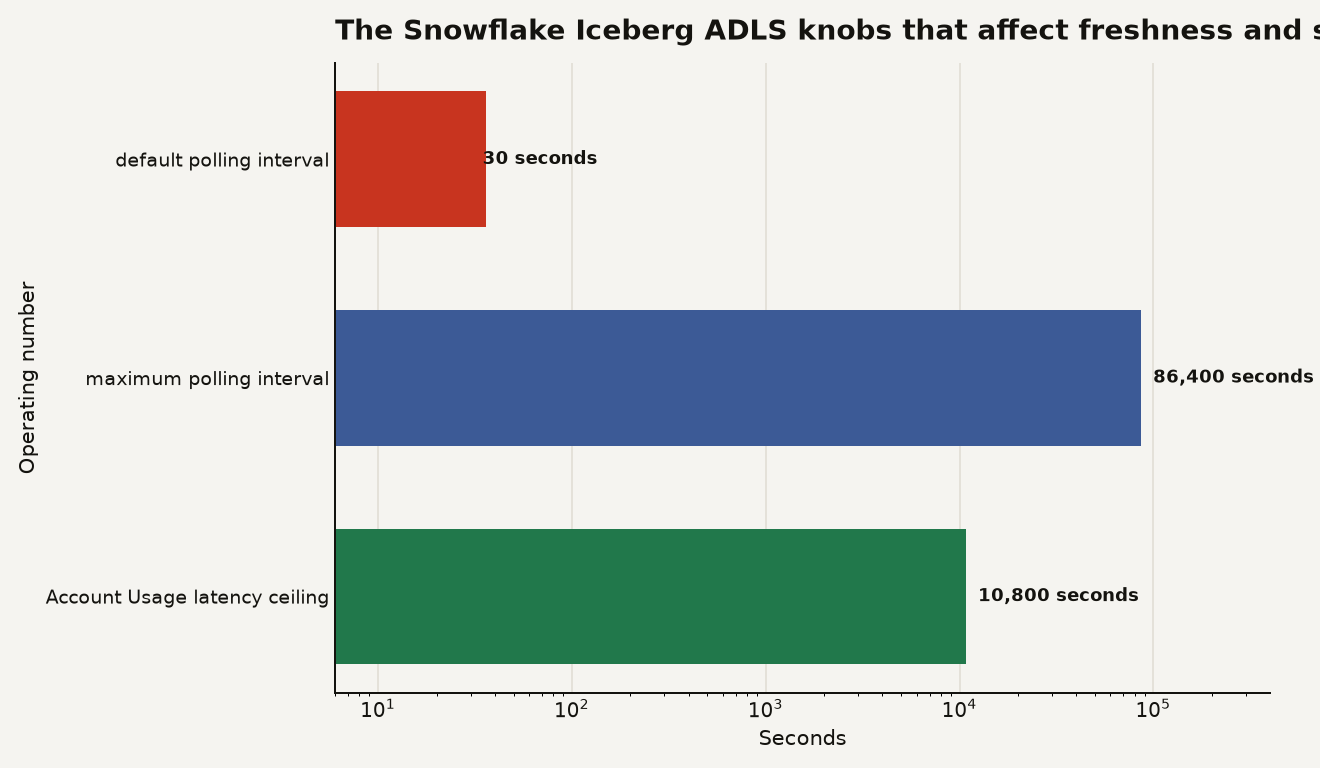
The chart below shows the operating numbers worth putting in your migration runbook: 30 seconds default polling, 86,400 seconds maximum polling, and 10,800 seconds, meaning 180 minutes, as the documented maximum latency for PIPE_USAGE_HISTORY data.
Use the Account Usage views immediately. PIPE_USAGE_HISTORY tracks credits used for Iceberg automated refresh for the last 365 days, and Snowflake says the view can lag by up to 180 minutes. It also states that Snowflake does not bill Snowpipe file charges for Iceberg automated refresh, which keeps the charge model cleaner than external-table notification billing.
SELECT
  pipe_name,
  DATE_TRUNC('day', start_time) AS usage_day,
  SUM(credits_used) AS refresh_credits
FROM snowflake.account_usage.pipe_usage_history
WHERE start_time >= DATEADD('day', -14, CURRENT_TIMESTAMP())
  AND pipe_name ILIKE '%customer_iceberg%'
GROUP BY 1, 2
ORDER BY 2 DESC, 3 DESC;
Catalog-linked databases have their own view. CATALOG_LINKED_DATABASE_USAGE_HISTORY keeps 12 months of usage and splits CREDITS_USED_COMPUTE, CREDITS_USED_CLOUD_SERVICES, and CREDITS_USED. Snowflake says table creation uses compute through auto refresh, while automatic table discovery, schema creation or deletion, and table deletion use cloud services.
SELECT
  database_name,
  DATE_TRUNC('day', start_time) AS usage_day,
  SUM(credits_used_compute) AS compute_credits,
  SUM(credits_used_cloud_services) AS cloud_services_credits,
  SUM(credits_used) AS billed_credits
FROM snowflake.account_usage.catalog_linked_database_usage_history
WHERE start_time >= DATEADD('day', -30, CURRENT_TIMESTAMP())
GROUP BY 1, 2
ORDER BY 2 DESC, 5 DESC;| Choice | Concrete behavior | Cost or control signal |
|---|---|---|
| Catalog-vended credentials | No EXTERNAL_VOLUME parameter on the table when the catalog integration uses VENDED_CREDENTIALS |
Credential expiration must be supplied by the catalog, otherwise Snowflake assumes 60 minutes |
| External volume on ADLS Gen2 | Use azure://account.dfs.core.windows.net/container/ for Data Lake Storage |
Needs CREATE EXTERNAL VOLUME at account level and Azure storage permissions |
| Catalog-linked database | Sync interval defaults to 30 seconds and can rise to 86,400 seconds | Track spend in CATALOG_LINKED_DATABASE_USAGE_HISTORY |
| Automated refresh | Credits appear through the Snowpipe usage view | PIPE_USAGE_HISTORY can lag by up to 180 minutes |
This is the same discipline behind Snowflake warehouse sizing: do not start with the biggest knob and call it architecture.
What should an Azure platform team do first?
Start with a read-only mirror of the catalog. Use ALLOWED_NAMESPACES so Snowflake does not discover your entire lake on day 1, set ALLOWED_WRITE_OPERATIONS = NONE, and choose a sync interval that matches the table's change rate. For most BI and model-feature tables, 300 or 900 seconds is a saner starting point than 30 seconds.
Then give access through database roles inside the catalog-linked database. Snowflake says catalog-linked databases support database roles, masking policies, and tags, but do not sync remote catalog access control for users or roles. Translation: your Snowflake RBAC model remains your problem. If your governance design assumes Unity Catalog permissions magically follow the data into Snowflake, fix that assumption before the pilot.
CREATE DATABASE ROLE lakehouse_prod.readers;

GRANT USAGE ON SCHEMA lakehouse_prod.gold
  TO DATABASE ROLE lakehouse_prod.readers;

GRANT SELECT ON ALL ICEBERG TABLES IN SCHEMA lakehouse_prod.gold
  TO DATABASE ROLE lakehouse_prod.readers;

GRANT DATABASE ROLE lakehouse_prod.readers TO ROLE analyst_ro;
For writes, create a separate role and keep table drops out of casual hands. The dangerous part is not MERGE. The dangerous part is a writable linked catalog where DROP ICEBERG TABLE is allowed and the remote catalog follows orders.
CREATE ROLE iceberg_writer;
GRANT USAGE ON DATABASE lakehouse_prod TO ROLE iceberg_writer;
GRANT USAGE ON SCHEMA lakehouse_prod.silver TO ROLE iceberg_writer;
GRANT INSERT, UPDATE, DELETE ON ALL ICEBERG TABLES IN SCHEMA lakehouse_prod.silver
  TO ROLE iceberg_writer;
Also test the limits before you promise a platform standard. Snowflake lists several unsupported or constrained areas for externally managed writes: multi-statement transactions are not supported, Azure server-side encryption for Azure external volumes is not supported for this write path, uuid and fixed(L) writes are not supported, sharing with a listing is not supported, and equality delete files are not supported. Snowflake supports Iceberg version 2 and version 3 for externally managed writes, which is good, but it does not remove the need for table-maintenance ownership.
If you are still deciding whether to make Iceberg your Snowflake boundary, read our guide on whether to put your data lake in Snowflake Iceberg tables before you let a single GA badge settle the architecture.
When is Snowflake Iceberg ADLS the wrong choice?
Do not use it to avoid making a warehouse decision. If all consumers are in Snowflake, standard Snowflake tables or Snowflake-managed Iceberg tables may still give you simpler operations. Externally managed Iceberg earns its keep when other engines must read or write the same tables, when the catalog is already a platform contract, or when Azure storage ownership is politically and financially fixed.
Do not use it as a dumping ground for every namespace. The default 30 second discovery and refresh posture is fine for a demo namespace with 12 tables. It is a different animal when pointed at a busy catalog with hundreds or thousands of tables, frequent commits, and platform teams that only check Account Usage once a month.
Do use it for a narrow Azure migration slice: one remote catalog, two namespaces, 5 to 10 critical tables, explicit SYNC_INTERVAL_SECONDS, read-only first, write role second, and a daily spend query. If that sounds boring, good. Boring is how lakehouse migrations survive contact with finance.
The feature does not make Snowflake the owner of your lake. It makes Snowflake a better citizen in an Azure Iceberg lakehouse. That is the right level of ambition.
Sources
- Snowflake Documentation: Jun 12, 2026, Apache Iceberg tables Azure Data Lake Storage Gen2 support
- Snowflake Documentation: Configure an external volume for Azure
- Snowflake Documentation: Use catalog-vended credentials for Apache Iceberg tables
- Snowflake Documentation: Write support for externally managed Apache Iceberg tables
- Snowflake Documentation: Apache Iceberg tables
- Snowflake Documentation: CREATE EXTERNAL VOLUME
- Snowflake Documentation: CREATE CATALOG INTEGRATION for Apache Iceberg REST
- Snowflake Documentation: CREATE DATABASE catalog-linked
- Snowflake Documentation: PIPE_USAGE_HISTORY view
- Snowflake Documentation: CATALOG_LINKED_DATABASE_USAGE_HISTORY view
- Snowflake Documentation: Service types