If you have ever watched an AI assistant build a technically valid pipeline that misunderstands the business meaning of the table, you already know why Matillion shipped this. Maia can inspect objects and work through pipeline tasks, but a warehouse schema rarely explains which customer table is canonical, which finance metric is blessed, or which lineage path is stale.
Matillion Context Engine is a public preview knowledge graph feature for Maia AI Agents, designed to give Maia a living map of your business data. The key fact for a data engineer who also watches the bill: Context Engine is configured through knowledge graphs and crawlers, not through a magic prompt, and those crawlers can be scoped, scheduled, paused, and access controlled.
Matillion announced Context Engine alongside Mission Control on June 1, 2026. The pairing matters. Context Engine gives Maia the domain map. Mission Control gives you a kanban style place to launch, supervise, and review Maia tasks that can use that map. If you need the broader platform context, start with our guide to Matillion's Data Productivity Cloud for builders, then come back here for the Context Engine operating model.
What did Matillion actually ship in Context Engine?
Context Engine adds a new surface in Maia for creating and managing knowledge graphs. In Matillion's Context Engine documentation, a knowledge graph captures the structure, relationships, and meaning of your data so Maia AI Agents can use a specific graph while working on a task. That is the important shift. You are no longer relying only on a chat transcript, a project file, or a pasted naming convention.
The feature is in public preview, so treat it as something to pilot with real work, not something to hand unrestricted production authority on day one. Matillion's release FAQ says public preview features are available to all users but are not recommended for production workloads. That matters for governance. If a graph teaches Maia the wrong semantic relationship, you want that mistake discovered in a sandbox branch, not after a merge into your main data product.
The nouns are simple:
- A knowledge graph is the domain container. Think Finance, Sales, Marketing, Customer 360, or Product Telemetry.
- A crawler populates the graph from warehouse metadata or pipeline execution history.
- Projects define which Maia projects can use a restricted graph.
- Access defines which users can manage the graph.
That is more operational than glamorous. Good. The AI feature you can govern usually beats the dazzling one you cannot explain during a cost review.
How do knowledge graphs and crawlers actually work?
You create a graph from the Context Engine dashboard, then choose whether it is Public or Restricted. A Public graph is available to all projects. A Restricted graph is available only to selected projects. Matillion warns that public graphs should not ingest sensitive data or data that should not be available across projects, which is the sentence your security lead will underline twice.
To add a graph, the user needs the Admin or Super Admin account role. After the graph exists, it has three tabs: Crawlers, Projects, and Access. The Crawlers tab adds and monitors data ingestion into the graph. Projects controls the allowlist for restricted graphs. Access controls which users can manage the graph.
The crawler setup has a few concrete choices. In the Add crawler flow, you enter a crawler name, choose the type, select a project, select an environment, then schedule it. Context Engine supports 2 crawler types today:
| Crawler type | What it harvests | Best first use | Cost watchpoint |
|---|---|---|---|
| Warehouse data | Warehouse and structured source metadata | Domain model discovery, table and column meaning | Scope databases, catalogs, and schemas tightly |
| Pipeline execution | Pipeline runs for a selected project and environment | Freshness, lineage, operational flow | Avoid crawling noisy dev environments by default |
For Warehouse data crawlers, the selection step changes by warehouse. Snowflake uses databases and schemas. Databricks uses catalog and schemas. Amazon Redshift uses schemas. That gives you 3 warehouse selection patterns to plan for if your estate spans clouds or warehouses.
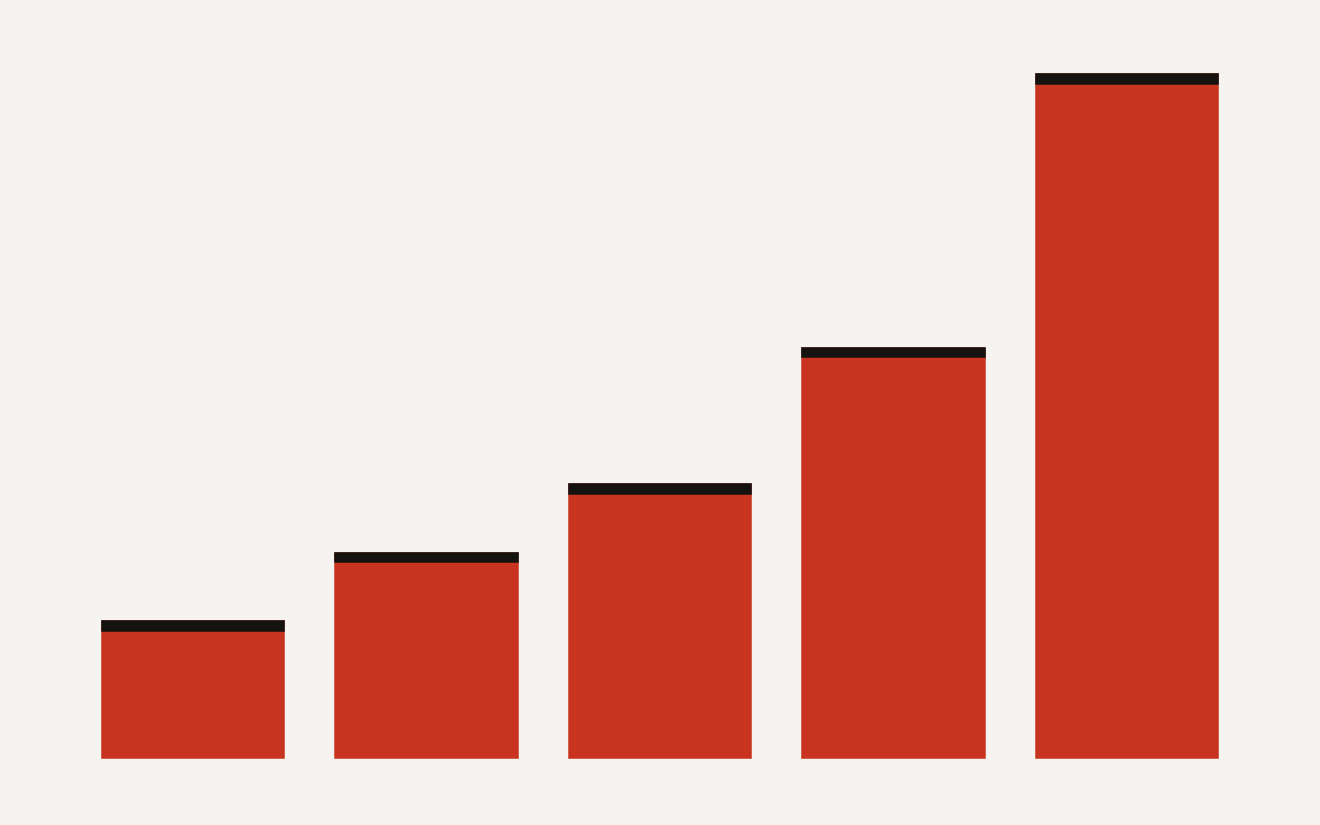
The chart below shows the operating surface you need to account for before enabling this broadly: 2 crawler types, 3 warehouse selection patterns, 4 Mission Control task columns, 6 crawler statuses, and a 10 task cap in Mission Control. The numbers are small enough to manage, but large enough to need ownership.
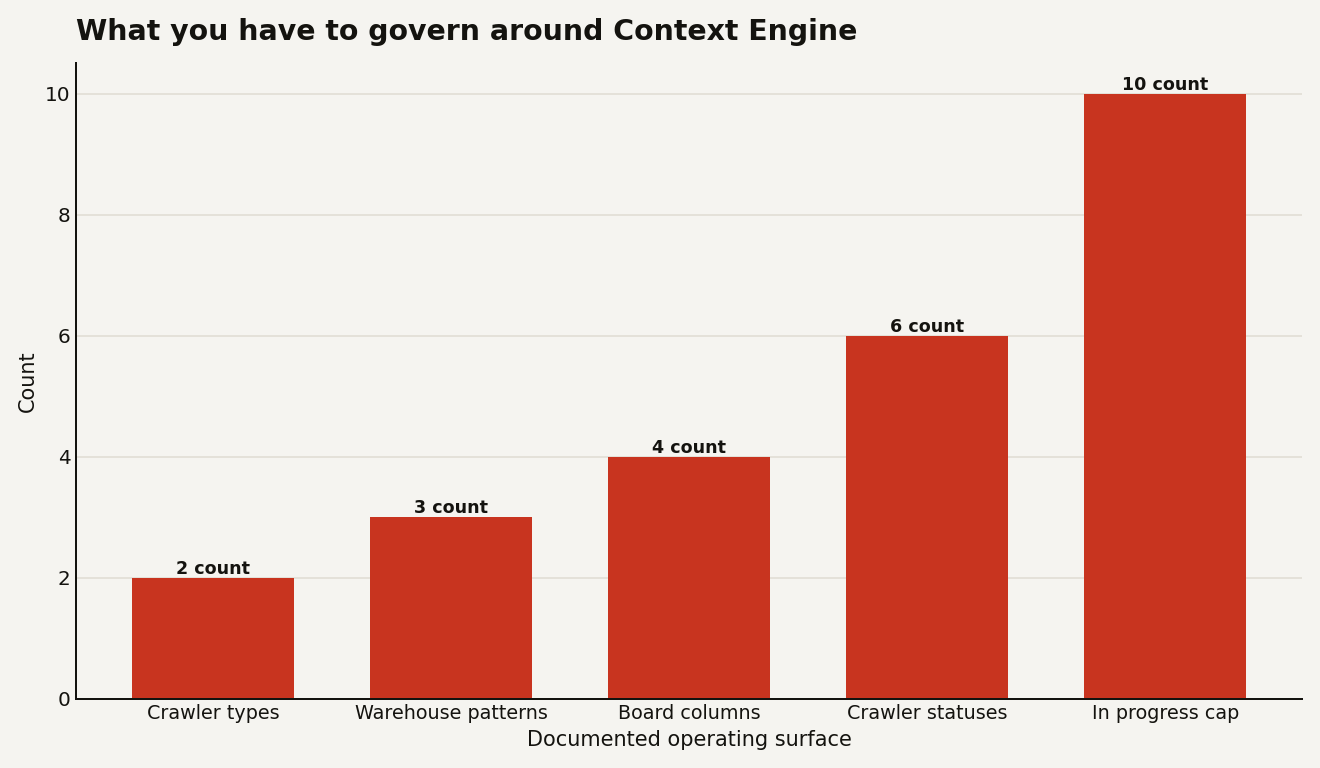
Matillion lists 6 crawler statuses: Successful, Initializing, Extracting, Pending, Paused, and Failed. That status model is enough for a runbook. If a crawler is Pending, it has not run its first crawl. If it is Paused, it will not run until resumed. If it is Failed, you have a concrete object to investigate instead of a vague complaint that Maia has bad context.
How should you configure the first graph without creating semantic sludge?
Start with one graph per domain, not one graph for the company. Matillion's launch post says Context Engine is intended for domain focused knowledge graphs such as Finance, Sales, and Marketing. That is the right default because semantics are local. A field named status in a billing table and a field named status in a product event stream may both be valid and still mean completely different things.
A practical first graph might look like this:
knowledge_graph:
  name: finance_reporting
  availability: restricted
  projects:
    - finance_dbt_migration
    - revenue_reporting
  crawlers:
    - type: warehouse_data
      warehouse: snowflake
      scope: FINANCE_MART.PUBLIC
      schedule: standard_daily
    - type: pipeline_execution
      project: revenue_reporting
      environment: dev
That is not an import format. It is the configuration shape you should decide before clicking through the UI. The point is discipline: one domain, restricted access, one narrow warehouse scope, one environment for operational history.
Before crawling, improve the metadata Maia will see. Matillion recommends adding metadata such as column descriptions and tags to databases, schemas, or datasets because it helps Maia understand the landscape. In Snowflake, a tiny amount of comment hygiene can save a lot of prompt babysitting:
comment on table FINANCE_MART.PUBLIC.INVOICE_FACT
  is 'Canonical invoice fact table for recognized revenue reporting';

comment on column FINANCE_MART.PUBLIC.INVOICE_FACT.NET_REVENUE_USD
  is 'Net recognized revenue in USD after credits and discounts';
Do this for the five to ten tables people always argue about first. Do not boil the metadata ocean. Context Engine can crawl a wide surface, but your first success metric is whether Maia stops confusing the canonical thing with the convenient thing.
What does this change when you use Mission Control?
Mission Control is the other half of the release, and Context Engine is one of the task inputs. When creating a Mission Control task, Matillion's Mission Control guide says you choose a project, source branch, environment, and Knowledge Graph, then write the prompt. That Knowledge Graph drop-down is where Context Engine becomes operational.
Mission Control gives each task its own chat interface and board position. The board has 4 columns: Backlog, In progress, Needs attention, and Completed. It also has a hard workflow constraint: a maximum of 10 tasks can be in progress at any time. Once 10 are in progress, you can still create a task, but it lands in Backlog. You cannot start another backlog task, and responses to Needs attention tasks are not processed until fewer than 10 tasks are in progress.
That cap is useful. It prevents the worst version of AI delegation: twenty half reviewed branches, all burning attention, none mergeable.
The feature also creates a new branch for each task in Mission Control if you select that option. Maia can work on the branch, and you can open it in Designer to review the work. Completing a task in Mission Control does not merge the branch. You still need to commit, push, and merge changes from the task branch to the source branch, and Matillion says Maia cannot merge changes. That separation is exactly what you want for an AI agent touching pipeline logic.
The workflow I would use is simple:
- Create a restricted Context Engine graph for a domain.
- Crawl a dev or analytics environment first.
- Launch a Mission Control task from a fresh branch.
- Select the graph explicitly.
- Keep Ask permission on unless the task is in a disposable sandbox.
- Review the branch in Designer before merge.
Bypass permissions mode exists, but it should be a narrow tool. Matillion says Ask permission is the default and Bypass permissions runs tool calls immediately with no approval prompts. Use it for trusted, hands off sandbox work. Do not use it on a broad graph with production credentials and a PDF from someone you do not know. That is how a demo becomes a cleanup ticket.
What does Context Engine cost in practice?
Matillion does not publish a separate Context Engine price meter on the public feature documentation. So the honest answer is operational: your cost exposure comes from crawler scope, crawler schedule, Maia task activity, warehouse metadata queries, and the human review time needed to trust the result.
The bill lever you control first is crawler design. A Warehouse data crawler over a narrow Snowflake schema is a different operational bet than a crawler pointed at every schema reachable by a broad role. A Pipeline execution crawler on a dev project with five representative pipelines is a different bet than one aimed at a noisy shared environment. The docs say crawlers can use Standard schedule settings or Advanced cron expressions, and they can be paused or resumed. Use that.
For a pilot, avoid the three expensive habits:
- Crawling every domain because the button is available.
- Making the first graph Public because it saves two clicks.
- Running Bypass permissions while Maia has access to credentials that are wider than the task.
There is also a hidden cost in bad context. If Context Engine learns that an old staging table is the customer source of truth, Maia may generate plausible work that takes longer to review than a human built pipeline. The answer is not fear. The answer is graph ownership. Put a named data engineer or analytics engineer on each domain graph, just as you would put an owner on a dbt package or shared pipeline.
When is Context Engine the wrong choice?
Skip Context Engine for one off work where the domain model is obvious and the pipeline is small. A two component load from a clean SaaS source does not need a knowledge graph. A context file in .matillion/maia/rules/ may be enough if all you need is naming rules, project conventions, or a short business rule. Matillion's context file docs still matter because context files are always read by Maia when stored in the reserved rules folder, and they have a strict 12,000 character limit across Markdown files in that folder.
Use Context Engine when the issue is semantic and operational, not just stylistic. Good fits include:
- A finance mart with competing definitions of revenue.
- A migration where pipeline execution history tells Maia how data actually flows.
- A governed domain where only selected projects should use the graph.
- A team that wants Mission Control tasks to start from the same domain map.
Bad fits include scratch work, sensitive domains with no access model yet, and production only warehouses with thin metadata. Context Engine can make Maia more useful, but it can also make wrong assumptions more reusable. Reuse is wonderful when the thing is right. It is brutal when the thing is wrong.
What should you do next if you influence the Matillion bill?
Run a narrow pilot. Pick one domain with real ambiguity and enough metadata to teach Maia something. Create a Restricted graph, add one Warehouse data crawler, add one Pipeline execution crawler only if execution history matters, and schedule both conservatively. Then create two Mission Control tasks against the graph: one pipeline build and one pipeline explanation. Compare the review burden with your normal Maia workflow.
Your success criteria should be concrete:
- Did Maia choose the right source tables without repeated correction?
- Did it use the domain language your team uses in reviews?
- Did the generated branch require fewer manual edits?
- Did crawler failures or stale metadata show up clearly enough to operate?
- Did the schedule add background work you can justify?
If the answer is yes, expand by domain. If the answer is no, fix metadata before widening the crawl. The fastest way to waste money here is to scale uncertainty.
Context Engine is promising because it moves Maia from prompt memory toward governed domain memory. That is the kind of AI feature builders should want: less sparkle, more accountable surfaces. Give it a map. Just make sure you own the cartography.