Vector search inside Postgres has always carried a tax: the bigger your index, the more RAM you provision, and the more you pay for compute that sits idle between queries. Lakebase Search, which Databricks moved to general availability on September 18, 2026, attacks that tax directly by pushing hybrid vector and keyword search into Lakebase Postgres with storage-backed indexes that compress 32x and survive scale-to-zero without warmup.
Two Postgres extensions do the work. lakebase_vector delivers approximate nearest-neighbor search through a new lakebase_ann index type that is drop-in compatible with pgvector, using the same vector types, distance operators, and query syntax. lakebase_text adds BM25 full-text ranking through a lakebase_bm25 index type that replaces PostgreSQL's GIN index with something designed for cloud object storage. Together they let a single SQL query return semantic and exact-term matches in one ranked list, joined against your operational tables, with tenant filtering baked in. For a data engineer already running Lakebase, this is a serious reason to reconsider whether you need a separate vector database at all.
What does Lakebase Search actually do under the hood?
The architecture is the interesting part. Databricks built both extensions from scratch for tiered cloud storage, not for in-memory workloads, and that decision shapes everything downstream.
lakebase_vector uses IVF partitioning combined with RaBitQ, a randomized binary quantization technique, to compress vectors. The index data stays in native pgvector format so it remains exportable to other systems, but the underlying storage footprint shrinks dramatically. Databricks claims a single index scales to over 1 billion vectors and builds up to 50 to 100 times faster than HNSW, the graph-based index that pgvector and most vector databases use by default. The active working set caches on local NVMe, while the cold tail lives in object storage, which is what makes scale-to-zero viable: your index does not evaporate when your compute spins down.
lakebase_text replaces GIN, PostgreSQL's standard full-text index, with a lakebase_bm25 index that adds true BM25 relevance ranking and top-K pushdown using Block-Max WAND. That means the engine retrieves only the K most relevant results from the index instead of scoring every match, which is the operation that makes GIN expensive at scale. It works with standard tsvector types and query operators, so existing full-text search code does not need a rewrite.
Hybrid search combines both. Vector similarity and keyword relevance run in a single SQL query and merge results via reciprocal rank fusion, or RRF, so you get semantic matches and exact-term matches in one ranked list. Because the search runs inside the same Postgres engine as your operational data, you can join search results against application tables and filter by tenant without crossing a service boundary.
How fast is it, and how much RAM does it actually save?
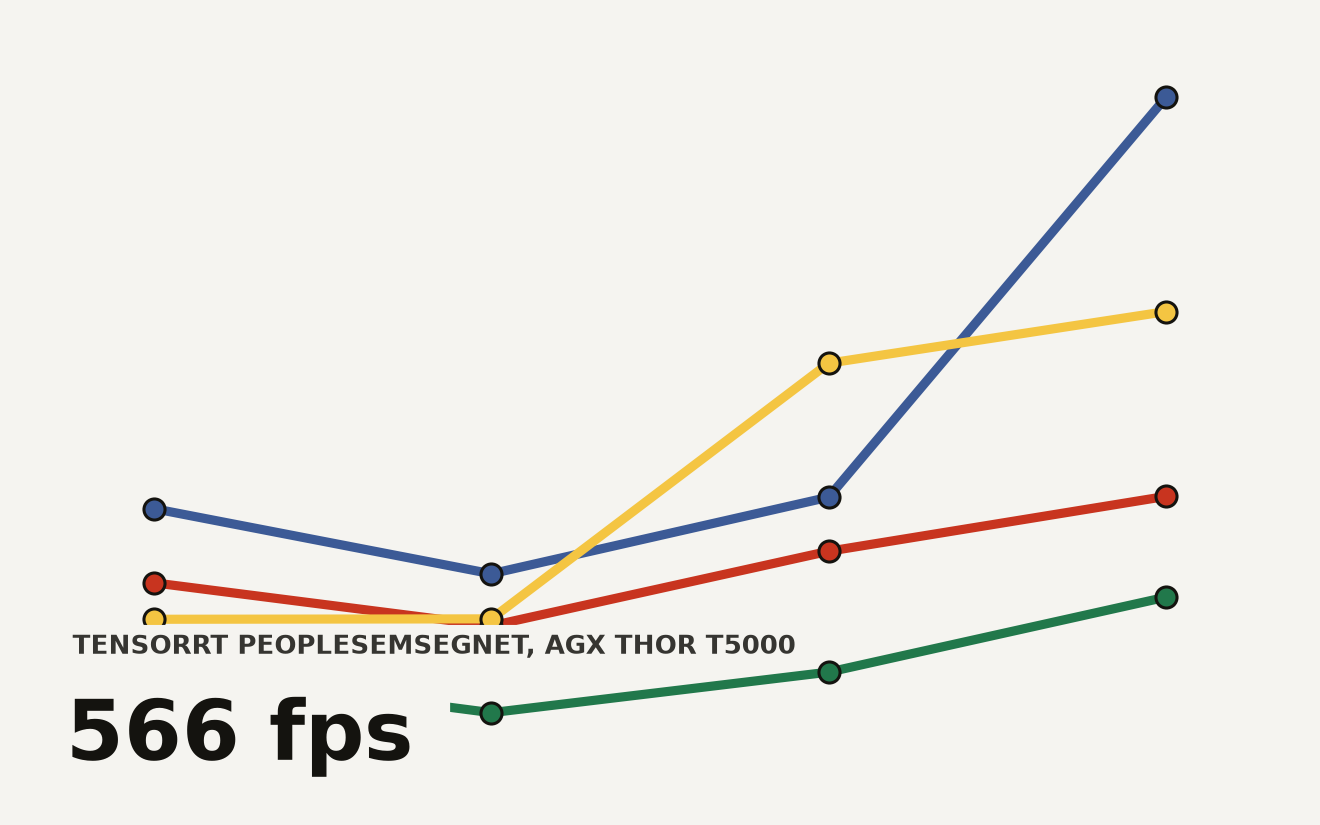
Databricks benchmarked Lakebase Search on LAION-100M, a dataset of 100 million 768-dimensional vectors, running on a single instance with a warm cache and a single connection. The results show a tunable recall-versus-throughput trade-off. At the high-recall end, the system delivers 51 queries per second at 0.955 recall with 30 millisecond P99 latency. Drop recall slightly to 0.942 and throughput more than doubles to 104 queries per second at 18 millisecond P99. At 0.926 recall, the system hits 142 queries per second at 14 millisecond P99.
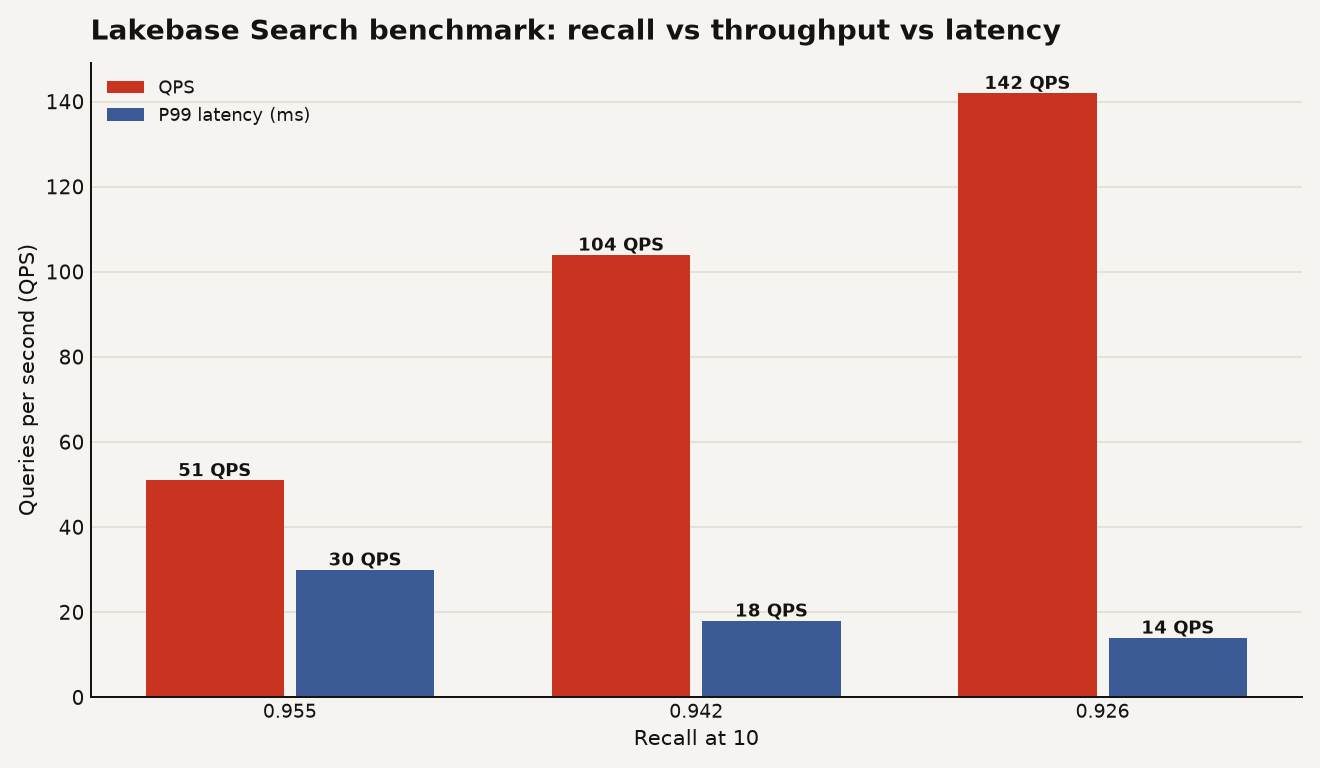
The chart below shows that pushing recall from 0.926 to 0.955 roughly triples P99 latency and cuts throughput by nearly two-thirds. At 0.942 recall, 104 queries per second at 18 millisecond P99 on a single instance is competitive with dedicated vector databases for many serving workloads.
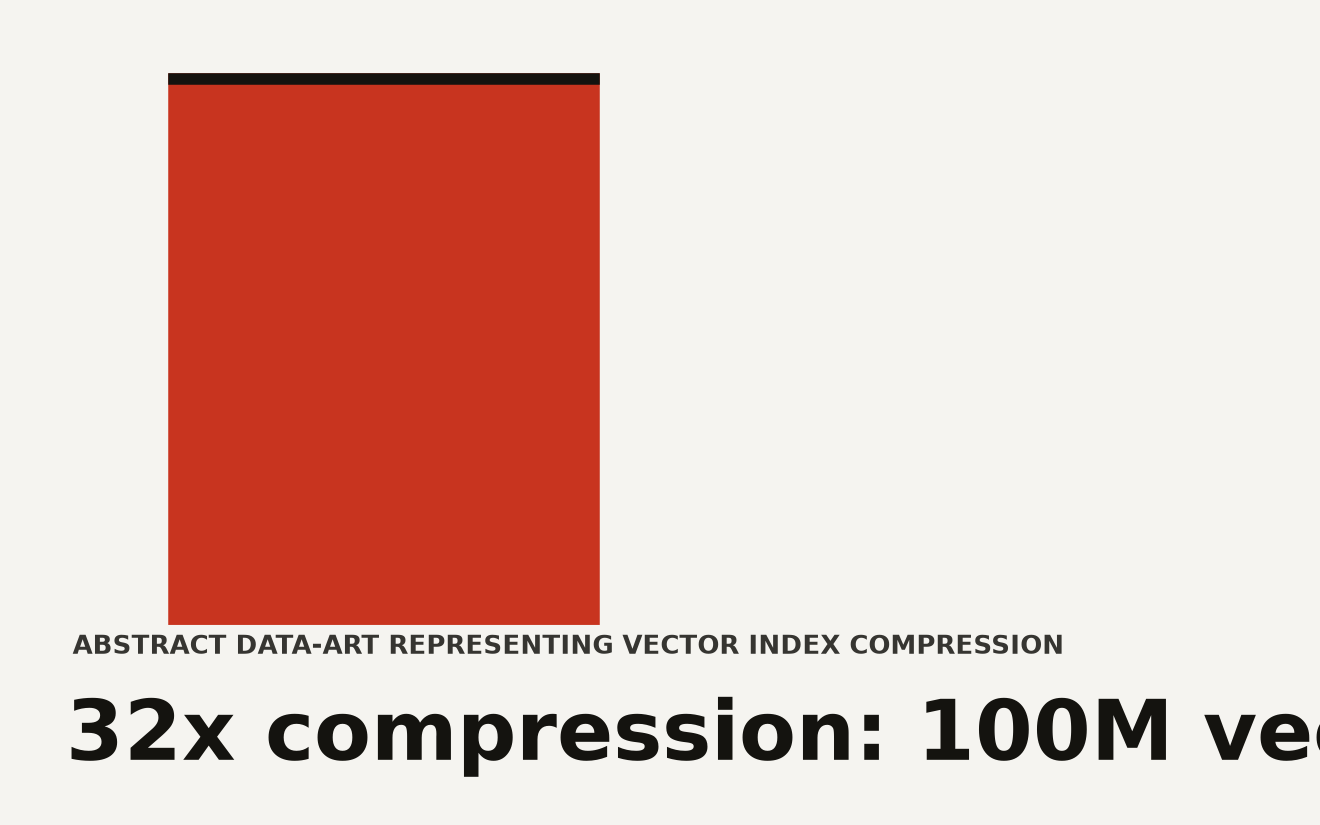
The RAM savings are where the cost story lives. Databricks states that a 100-million-vector index that previously required 300 GB of RAM under a standard pgvector or HNSW setup fits into under 10 GB with lakebase_vector. That is a 32x compression ratio, and it is the difference between needing a large memory-optimized instance and running on a modest compute footprint.
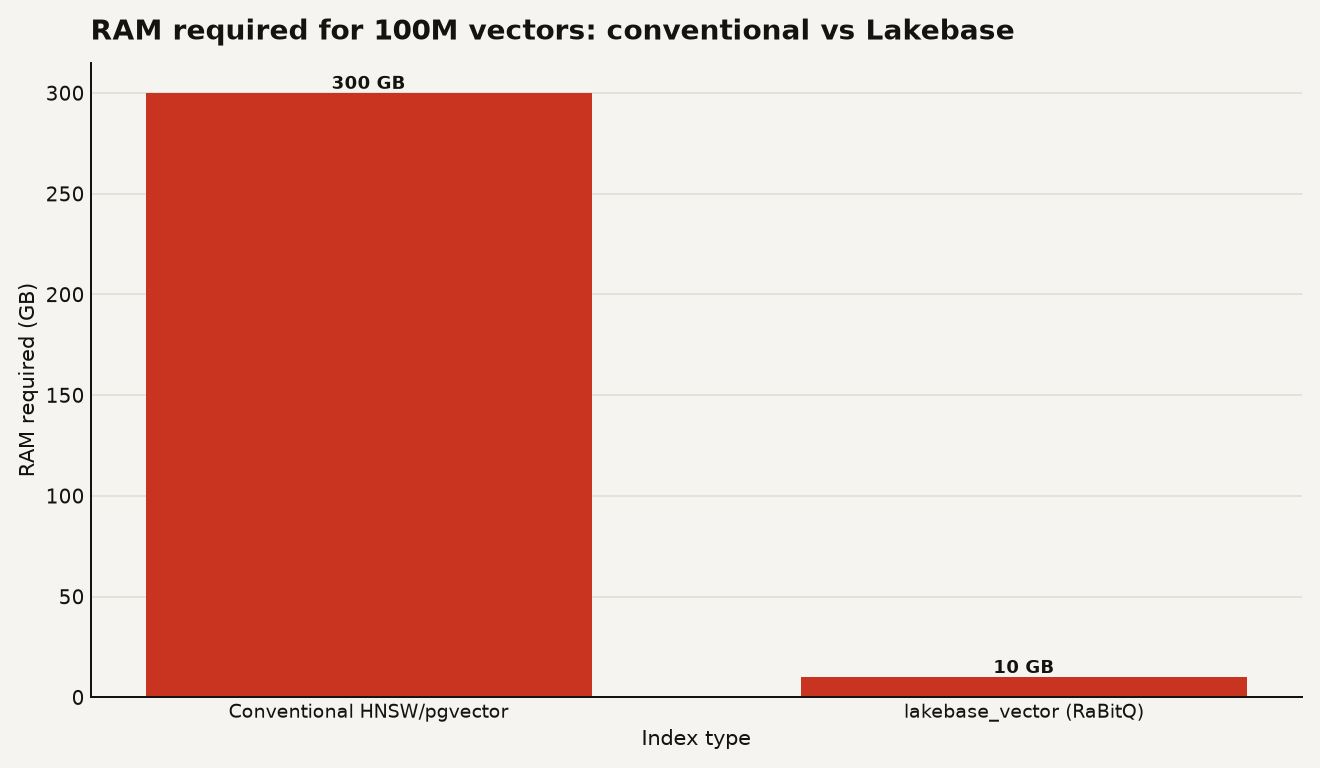
The chart below compares the RAM required for the same 100-million-vector workload: 300 GB under a conventional in-memory index versus under 10 GB with Lakebase's RaBitQ-compressed index.
One caveat: these are vendor benchmarks run on a single connection with a warm cache. Production workloads with concurrent connections, cold starts, and mixed query patterns will tell a different story. Treat the numbers as a ceiling, not a floor.
How do you enable and configure it?
Enablement is a project-level switch, not a per-database toggle. You turn it on in your Lakebase project settings, which does three things: it makes the lakebase_vector and lakebase_text extensions available to install, it restarts all computes in the project, and it drops any active connections. The docs note that enabling Lakebase Search on a project is irreversible: once on, it cannot be turned off. Plan your enablement window accordingly.
Your project must run Postgres 16 or later. Once enabled, installing the extensions is standard Postgres SQL:
-- Vector search (CASCADE installs pgvector as a dependency)
CREATE EXTENSION IF NOT EXISTS lakebase_vector CASCADE;

-- BM25 full-text search
CREATE EXTENSION IF NOT EXISTS lakebase_text;
Creating indexes uses the extension-specific index types, but the column types and query syntax stay familiar:
-- Create a vector index on an embedding column
CREATE INDEX ON documents USING lakebase_ann (embedding vector_cosine_ops);

-- Create a BM25 text index on a content column
CREATE INDEX ON documents USING lakebase_bm25 (content);
Because lakebase_vector is a drop-in companion to pgvector, your existing query patterns work without modification. You query with the same distance operators:
-- Vector similarity search
SELECT id, content, embedding <=> '[0.1, 0.2, ...]' AS distance
FROM documents
ORDER BY embedding <=> '[0.1, 0.2, ...]'
LIMIT 10;
You can also serve search over data that originates in the lakehouse. Use synced tables to replicate a Unity Catalog table into Lakebase, map its columns to search-ready Postgres types during the sync, and build a lakebase_ann or lakebase_bm25 index on the synced column. This closes a meaningful loop: your governed Delta tables feed your low-latency search index without a separate ETL pipeline.
If you manage Lakebase programmatically, the REST API, Databricks CLI, and SDKs for Python, Java, and Go reached general availability on August 14, 2026, supporting operations for projects, branches, endpoints, databases, roles, credentials, synced tables, and catalogs. You can now script the entire lifecycle, from project creation through search enablement to index creation, in Terraform or your preferred SDK.
What does it cost you to run?
Lakebase is billed by compute units, and search runs inside your existing Lakebase compute. There is no separate search-service charge. The cost implications are indirect but significant: the 32x compression ratio means you can serve a 100-million-vector workload on a fraction of the RAM you would need under a conventional in-memory index, which translates to fewer compute units or a smaller instance size.
Indexes are storage-backed, so when your project scales to zero, the index persists in object storage and is available immediately on restart without warmup time or warmup compute cost. Lakebase now supports compute sizes up to 64 CU, which is 128 GB of RAM, and new instances scale to zero by default after 24 hours of inactivity. Your search-enabled Postgres can sit idle and cost nothing for compute, then come back with indexes ready.
The trade-off is that you are paying for Lakebase compute whether or not you use the search extensions, so the economics make the most sense when you are already running Lakebase for operational workloads and adding search on top. Snapshot storage became billable on June 1, 2026, and index data stored in object storage will add to that bill, though Databricks has not published a separate line item for search index storage. Watch your Backup and Restore page for the storage footprint.
When is Lakebase Search the wrong tool?
Databricks is unusually direct about this in its own announcement: for fully managed search with ingestion, embedding, reranking, and quality tuning out of the box, Databricks AI Search may be a better fit. Lakebase Search is a set of Postgres extensions. It gives you the index types and the query operators, but you build the pipeline: you generate embeddings, you write the ingestion logic, you tune relevance. If your team wants a managed endpoint where you point a Delta table at it and get a vector search API back, Mosaic AI Vector Search is that product, and it sits in the same Databricks Data Intelligence Platform you already run.
| Dimension | Lakebase Search | Databricks AI Search (Mosaic AI) | Standalone pgvector |
|---|---|---|---|
| Index type | lakebase_ann (IVF + RaBitQ) |
Delta-backed vector index | HNSW (in-memory) |
| Max vectors per index | Over 1 billion | Billions via Delta sharding | Bounded by available RAM |
| RAM at 100M vectors | Under 10 GB | Managed, serverless | ~300 GB |
| BM25 keyword search | Yes, native (lakebase_bm25) |
No | No (GIN only, no BM25 ranking) |
| Hybrid search | Single SQL query with RRF | Not native | Requires custom orchestration |
| pgvector compatibility | Drop-in, same types and operators | N/A | Native |
| Managed embedding pipeline | No, you build it | Yes, auto-embedding and reranking | No |
| Runs where | Inside Lakebase Postgres | Serverless Mosaic AI | Your Postgres instance |
The decision comes down to control versus convenience. Lakebase Search gives you the index and the SQL, and you handle the rest. Databricks AI Search handles the rest for you, at the cost of flexibility and a managed-service markup. Standalone pgvector gives you neither scale nor managed convenience, but it runs anywhere Postgres runs.
Is the one-backend bet worth taking?
The strongest case for Lakebase Search is architectural simplicity for teams already committed to Lakebase. If your agent or application already reads and writes to Lakebase Postgres, adding search in the same engine eliminates a network hop, a separate service to operate, and a second data store to keep in sync. The ability to join search results against operational tables and filter by tenant in a single query is a correctness feature, because it means your access controls apply to search results the same way they apply to every other query.
The risk is the irreversible enablement and the beta-to-GA maturity curve. Three months from beta to general availability is fast, and the benchmark numbers are vendor-supplied on a single connection with a warm cache. If you are running production search at scale, instrument your own workload before you commit. But if you are already paying for Lakebase and building agent pipelines, the question is how soon you can afford to drop your separate vector database.